
What is a Star Topology Network?
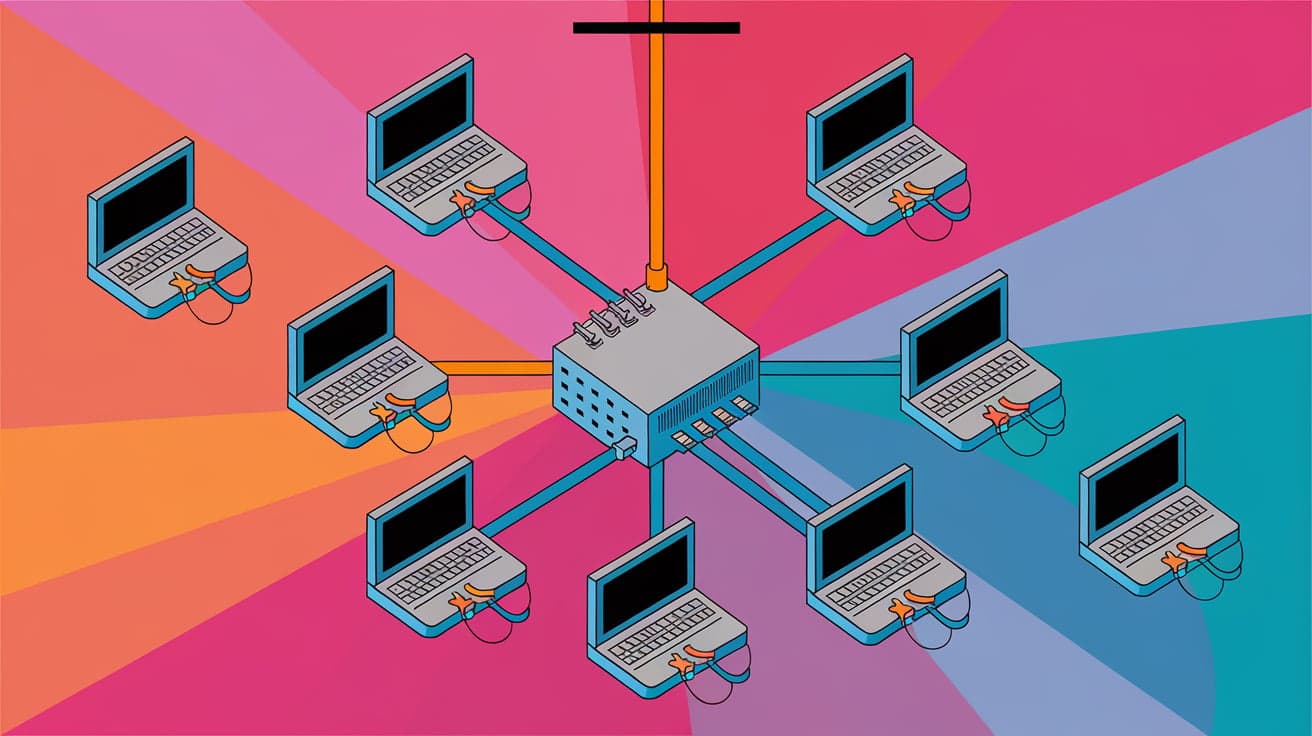
Networking is all about connecting devices so they can share information and resources efficiently. One of the most popular ways to arrange devices in a network is called a star topology. It’s named for its shape—a central hub or switch acts like the center of a star, with devices like computers, printers, or servers connected to it through individual cables.
If you’re setting up a network at home, in an office, or in a classroom, star topology is often the go-to option. It’s simple, reliable, and easy to troubleshoot compared to other network setups. In this article, we’ll break down what a star topology network is, how it works, and why it’s widely used.
How Does Star Topology Work?
Star topology is all about centralization. In this setup, all devices connect to a central hub, switch, or router using their own dedicated cable. The hub serves as the middleman, managing data flow between devices.
Here’s a step-by-step look at how it works:
Connection Setup: Each device (like a computer) is connected to the hub using an Ethernet cable or Wi-Fi (if it’s a wireless star topology).
Data Transmission: When one device wants to send data to another, it first sends the data to the hub.
Data Routing: The hub reads the data and forwards it to the correct destination device.
Think of the hub as a traffic cop, directing data packets to their intended locations. This makes communication smooth and prevents data collisions that could slow the network down.
Key Components of a Star Topology
Every star topology network relies on these basic components:
Central Hub or Switch: This is the heart of the network. In smaller setups, it might be a router, while larger networks use switches for more efficiency.
End Devices: These are the devices connected to the hub, like computers, printers, or servers.
Cabling: Ethernet cables (or wireless signals for Wi-Fi setups) link each device to the hub.
Without the central hub, the network can’t function, as it’s the key point of connection for all devices.
Advantages of Star Topology
Star topology is popular for good reasons. Here are its main benefits:
Easy Troubleshooting
- If a single device or cable fails, the rest of the network keeps running. You can quickly identify and fix the issue without disrupting everyone else.
Simple to Expand
- Adding new devices is straightforward. Just connect them to the hub using a cable, and they’re ready to go.
Efficient Performance
- The hub ensures that data flows efficiently, reducing the risk of data collisions. This makes star topology great for setups with lots of traffic.
Centralized Control
- The hub can monitor and manage network activity, making it easier to implement security measures.
Disadvantages of Star Topology
While star topology has many strengths, it’s not perfect. Here are some drawbacks to keep in mind:
Single Point of Failure
- If the central hub goes down, the entire network stops working. This makes the hub a critical component that needs to be reliable.
Higher Cost
- You’ll need a good-quality hub and individual cables for each device. This can make star topology more expensive than simpler setups like bus topology.
Limited Cable Length
- Each device must connect to the hub, so long distances may require additional hardware like repeaters to boost the signal.
Despite these challenges, star topology remains a solid choice for most small to medium-sized networks.
Types of Star Topology
Star topology can vary based on the specific needs of a network. Here are the main types:
Active Star Topology
- Uses a switch as the hub, which can amplify and manage signals for better performance. This is common in larger networks.
Passive Star Topology
- The hub simply connects devices without amplifying signals. It’s cheaper but less efficient and suitable for smaller setups.
Wireless Star Topology
- Instead of cables, devices connect to the central hub using Wi-Fi. This type is popular in homes and modern offices.
Understanding these types helps you choose the right setup for your needs.
Where is Star Topology Used?
Star topology is incredibly versatile and works well in various environments:
Home Networks
- Many home Wi-Fi setups use a wireless star topology, with a router acting as the central hub.
Offices
- In offices, star topology provides a reliable way to connect computers, printers, and servers, ensuring smooth communication.
Educational Institutions
- Schools and colleges often use star topology to link classroom computers to central servers or printers.
Data Centers
- In data centers, high-performance switches create star topology networks to handle heavy traffic loads.
The adaptability of star topology makes it a preferred choice across different sectors.
Comparing Star Topology to Other Network Setups
If you’re deciding between star topology and other options, here’s how it stacks up:
Star vs. Bus Topology
Star: Easier to troubleshoot and more reliable.
Bus: Cheaper but prone to data collisions and network-wide failures.
Star vs. Ring Topology
Star: More resilient since individual failures don’t affect the whole network.
Ring: Offers equal data access for all devices but is harder to troubleshoot.
Star vs. Mesh Topology
Star: Cheaper and simpler to set up.
Mesh: More robust, with multiple paths for data to travel, but much costlier.
Each topology has its strengths, but star topology strikes a great balance between performance and simplicity.
How to Set Up a Star Topology Network
Ready to set up your own star topology network? Follow these steps:
Choose a Hub
- Pick a reliable hub or switch that matches your network’s size and traffic needs.
Connect Devices
- Use Ethernet cables to connect each device to the hub. For wireless setups, ensure the devices are configured to connect to the Wi-Fi network.
Power Up and Configure
- Turn on the hub and configure it through its dashboard or software interface. Set up security measures like passwords or firewalls.
Test the Network
- Check each device to ensure it can communicate with the others through the hub.
Congratulations! You’ve just created a star topology network.
Conclusion
Star topology is one of the most popular and practical network setups for connecting multiple devices. Its centralized structure ensures smooth data flow, makes troubleshooting easy, and allows for straightforward expansion. While it does come with some challenges, like reliance on a single hub, the benefits often outweigh the drawbacks.
Whether you’re setting up a small home network or managing an office system, star topology is a reliable and user-friendly choice. Now that you know how it works and where it’s used, you can confidently decide if it’s the right option for your needs.
FAQs
What is a star topology used for?
Star topology is used to connect devices in a network through a central hub. It’s common in homes, offices, schools, and data centers.
What are the main advantages of star topology?
Star topology is easy to troubleshoot, simple to expand, and offers efficient performance. It also allows centralized control through the hub.
What happens if the hub fails in a star topology?
If the hub fails, the entire network stops working because the hub is responsible for managing all data flow.
Is star topology expensive?
It can be costlier than simpler setups like bus topology due to the need for a central hub and individual cables for each device. However, its reliability makes it worth the investment.
Can star topology be wireless?
Yes, in a wireless star topology, devices connect to a central router or hub using Wi-Fi instead of cables. This is common in home networks.




