
What is User Activity Monitoring
Introduction
You might have heard the term "user activity monitoring" and wondered what it really means. In simple terms, it’s a way for organizations to keep track of what users do on their computers and networks. This helps protect sensitive information and improve productivity.
In this article, I’ll explain what user activity monitoring is, how it works, and why it’s important. Whether you’re a business owner, IT professional, or just curious, you’ll get a clear picture of this technology and how it impacts your digital life.
What Is User Activity Monitoring?
User activity monitoring (UAM) is the process of tracking and recording the actions of users on a computer system or network. It captures data about what users do, such as the websites they visit, the files they access, and the applications they use.
This monitoring helps organizations understand user behavior, detect suspicious activities, and ensure compliance with company policies. UAM can be used in workplaces, schools, and other environments where managing digital activity is important.
Key Features of User Activity Monitoring
- Tracking software usage: Records which applications are opened and for how long.
- Website monitoring: Logs websites visited and time spent on each.
- File access tracking: Monitors files opened, modified, or deleted.
- Keystroke logging: Captures typed text for security or productivity analysis.
- Screenshots and video recording: Takes snapshots or videos of user screens for detailed review.
- Alerts and reports: Sends notifications about unusual behavior and generates activity reports.
How Does User Activity Monitoring Work?
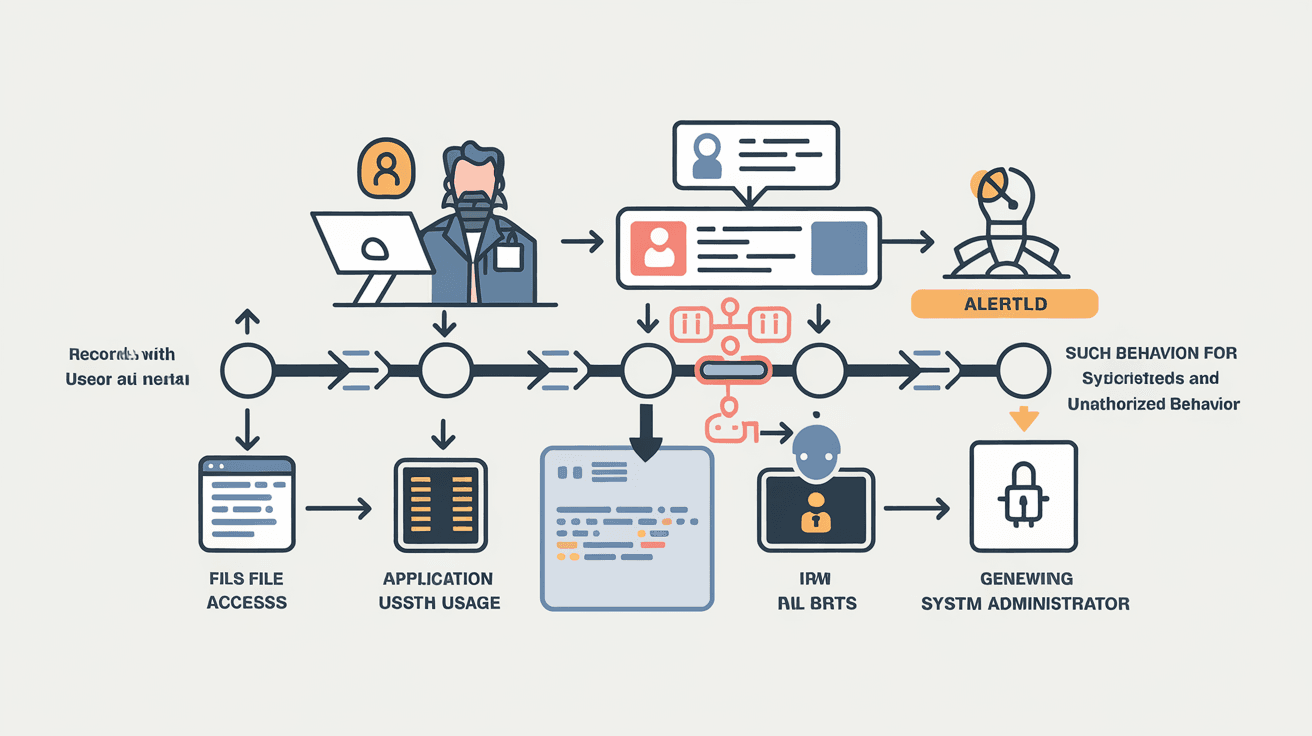
User activity monitoring uses specialized software installed on devices or network servers. This software collects data about user actions and sends it to a central system for analysis.
Here’s a simple breakdown of the process:
- Data Collection: The monitoring software records user actions in real-time.
- Data Transmission: Collected data is securely sent to a monitoring server.
- Data Analysis: The system analyzes the data to identify patterns or anomalies.
- Reporting: Reports and alerts are generated for administrators or managers.
- Action: Based on the findings, organizations can take steps to improve security or productivity.
Types of Monitoring Tools
- Agent-based monitoring: Software agents installed on individual devices track user activity locally.
- Network-based monitoring: Monitors data traffic across the network without installing software on each device.
- Cloud-based monitoring: Uses cloud services to collect and analyze user activity remotely.
Why Is User Activity Monitoring Important?
User activity monitoring plays a vital role in today’s digital environment. It helps organizations protect sensitive data, maintain compliance, and improve employee productivity.
Security Benefits
- Detect insider threats: Identifies employees or users who may misuse access or steal data.
- Prevent data breaches: Monitors unauthorized access to confidential information.
- Track suspicious behavior: Flags unusual activities like accessing restricted files or websites.
Compliance and Legal Reasons
Many industries have strict regulations about data protection. User activity monitoring helps companies meet these requirements by:
- Providing audit trails for investigations.
- Ensuring employees follow company policies.
- Demonstrating compliance with laws like GDPR, HIPAA, or PCI-DSS.
Productivity and Performance
Monitoring user activity can also boost productivity by:
- Identifying time spent on non-work-related websites.
- Helping managers understand workflow bottlenecks.
- Encouraging responsible use of company resources.
Common Use Cases for User Activity Monitoring
User activity monitoring is used in various settings to address different needs. Here are some common examples:
Corporate Environments
Businesses use UAM to protect intellectual property, prevent data leaks, and ensure employees follow IT policies. It also helps in managing remote workforces by tracking work hours and application usage.
Educational Institutions
Schools and universities monitor student activity on school devices to prevent cheating, block harmful websites, and ensure appropriate use of resources.
Healthcare Sector
Hospitals and clinics monitor access to patient records to comply with privacy laws and prevent unauthorized data sharing.
Government Agencies
Government bodies use UAM to secure sensitive information and maintain transparency in employee activities.
Ethical and Privacy Considerations
While user activity monitoring offers many benefits, it raises important ethical and privacy questions. Organizations must balance security needs with respecting user privacy.
Transparency and Consent
- Inform users about monitoring policies clearly.
- Obtain consent where required by law.
- Explain what data is collected and how it will be used.
Data Protection
- Store monitoring data securely.
- Limit access to authorized personnel only.
- Retain data only as long as necessary.
Avoiding Overreach
- Monitor only work-related activities.
- Avoid excessive surveillance that invades personal privacy.
- Use monitoring data responsibly and fairly.
How to Implement User Activity Monitoring Effectively
If you’re considering user activity monitoring, here are some tips to do it right:
Define Clear Objectives
- Identify what you want to achieve (security, compliance, productivity).
- Choose monitoring tools that fit your goals.
Communicate with Users
- Share your monitoring policy openly.
- Address concerns and answer questions.
- Train employees on acceptable use and privacy.
Use the Right Tools
- Select software that offers customizable monitoring options.
- Ensure compatibility with your IT environment.
- Look for tools with strong security features.
Regularly Review and Update Policies
- Keep monitoring policies up to date with changing laws.
- Adjust monitoring levels based on feedback and results.
- Conduct audits to ensure compliance.
Challenges and Limitations of User Activity Monitoring
While UAM is powerful, it’s not without challenges:
- Privacy concerns: Users may feel uncomfortable or mistrusted.
- Data overload: Large volumes of data can be hard to analyze effectively.
- False positives: Innocent behavior might be flagged as suspicious.
- Technical issues: Software may slow down devices or cause conflicts.
- Legal risks: Improper monitoring can lead to lawsuits or penalties.
Organizations must carefully plan and manage monitoring to avoid these pitfalls.
Future Trends in User Activity Monitoring
User activity monitoring continues to evolve with new technologies and changing work environments.
AI and Machine Learning
Advanced AI tools can analyze user behavior more accurately, detecting subtle threats and reducing false alarms.
Cloud and Remote Work Monitoring
With more people working remotely, cloud-based monitoring solutions are becoming essential for tracking activity outside traditional office networks.
Privacy-Enhancing Technologies
New methods aim to balance monitoring with privacy, such as anonymizing data or using consent-based tracking.
Integration with Security Systems
UAM is increasingly integrated with broader cybersecurity tools like endpoint detection and response (EDR) to provide comprehensive protection.
Conclusion
User activity monitoring is a valuable tool for organizations to protect data, ensure compliance, and improve productivity. By tracking user actions, companies can detect threats early and maintain control over their digital environments.
However, it’s important to implement monitoring thoughtfully, respecting privacy and being transparent with users. As technology advances, user activity monitoring will become smarter and more balanced, helping businesses navigate the challenges of the digital age.
FAQs
What types of activities does user activity monitoring track?
It tracks activities like website visits, application usage, file access, keystrokes, and screen captures. This helps organizations understand user behavior and detect security risks.
Is user activity monitoring legal?
Yes, but legality depends on local laws and regulations. Organizations must inform users and obtain consent where required to comply with privacy laws.
Can user activity monitoring improve employee productivity?
Yes, by identifying distractions and inefficient workflows, monitoring helps managers support better time management and resource use.
How does user activity monitoring protect against insider threats?
It detects unusual behavior patterns, such as accessing sensitive files without permission, helping prevent data theft or misuse by insiders.
What are the privacy concerns with user activity monitoring?
Concerns include over-surveillance, data misuse, and lack of transparency. Organizations should balance monitoring with respect for user privacy and clear communication.




