
What is Software Defined Perimeter
Introduction
You might have heard about Software Defined Perimeter (SDP) as a new way to protect networks. If you’re wondering what it is and why it matters, you’re in the right place. I’ll explain how SDP changes the way we secure digital environments and why it’s becoming a must-have for businesses.
We live in a world where cyber threats are more advanced than ever. Traditional security methods often fall short. Software Defined Perimeter offers a fresh approach that keeps your data and systems safer by controlling who can access your network and how. Let’s dive into what SDP really means and how it works.
What is Software Defined Perimeter?
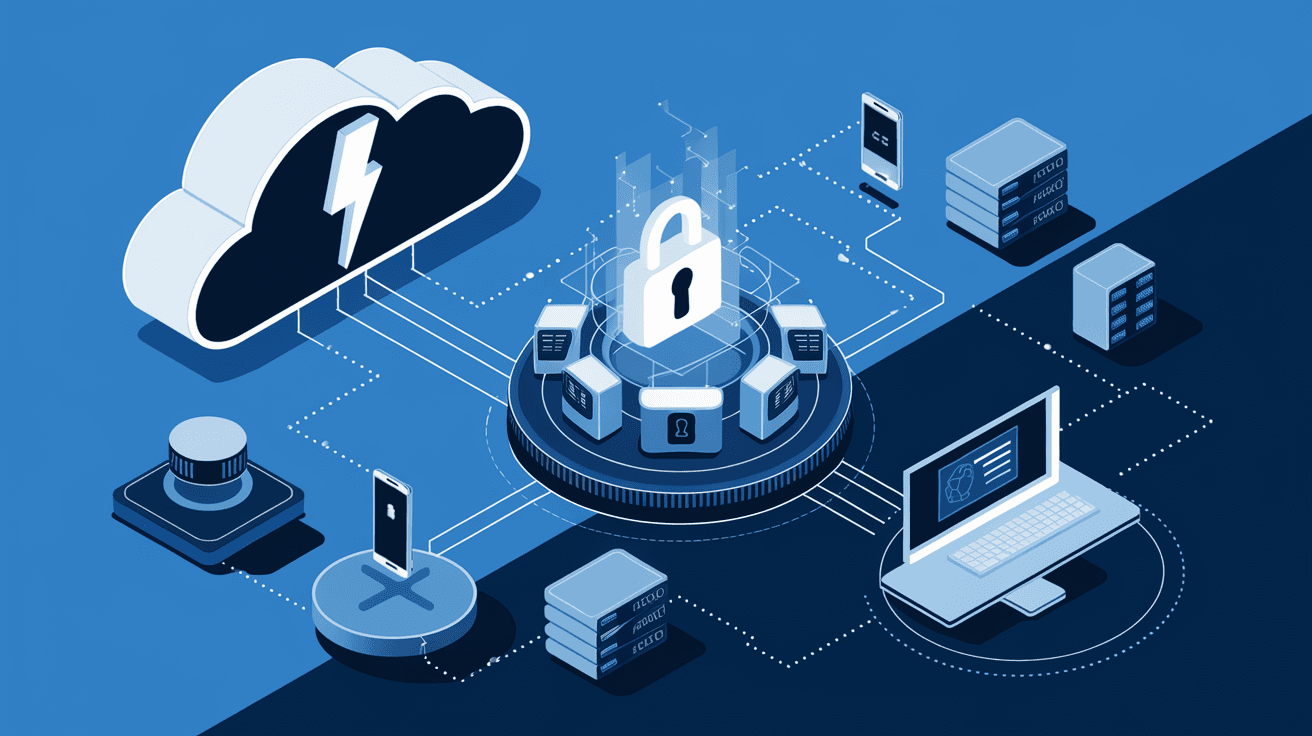
Software Defined Perimeter is a security framework designed to protect networks by creating invisible boundaries around resources. Unlike traditional firewalls that rely on fixed network perimeters, SDP dynamically controls access based on user identity and device trust.
Here’s how it works in simple terms:
- It hides critical resources from unauthorized users.
- Only verified users and devices can see and connect to the network.
- Access is granted on a need-to-know basis, reducing attack surfaces.
This approach is sometimes called a "black cloud" because the network looks invisible to outsiders. SDP is especially useful for organizations with remote workers, cloud services, and hybrid environments.
Why Traditional Network Security Falls Short
Traditional network security relies heavily on firewalls and VPNs. These tools create a fixed perimeter around the network, assuming that everything inside is safe and everything outside is a threat. But this model has weaknesses:
- Perimeter erosion: With cloud computing and mobile devices, the network boundary is no longer clear.
- Insider threats: Once inside the network, attackers or malicious insiders can move freely.
- VPN vulnerabilities: VPNs often grant broad access, increasing risk if credentials are stolen.
Because of these issues, many organizations face data breaches and unauthorized access. Software Defined Perimeter addresses these problems by focusing on identity and context rather than location.
How Does Software Defined Perimeter Work?
SDP uses a combination of authentication, authorization, and encryption to secure access. Here’s a step-by-step overview:
- User and device verification: Before connecting, the user and device must prove their identity using multi-factor authentication and device posture checks.
- Dynamic access control: Once verified, the system grants access only to specific resources needed for the user’s role.
- Encrypted communication: All data exchanged is encrypted to prevent interception.
- Invisible network: Unauthorized users cannot see or scan the protected resources.
This process is often managed through a centralized controller that enforces policies and monitors connections in real time.
Key Components of SDP
- Controller: The brain of the system that authenticates users and devices.
- Gateway: The point where verified users connect to resources.
- Client: Software on the user’s device that initiates the connection.
- Policy Engine: Defines who can access what and under which conditions.
Benefits of Software Defined Perimeter
Switching to SDP offers many advantages over traditional security models. Here are some of the main benefits:
- Reduced attack surface: By hiding resources, attackers have fewer targets.
- Improved access control: Access is granted based on identity and context, not just network location.
- Better support for remote work: Users can securely connect from anywhere without exposing the network.
- Simplified security management: Centralized control makes it easier to enforce policies and monitor activity.
- Compliance support: SDP helps meet regulatory requirements by controlling and logging access.
These benefits make SDP a strong choice for organizations looking to modernize their cybersecurity.
Use Cases for Software Defined Perimeter
SDP is versatile and fits many scenarios. Here are some common use cases:
- Remote workforce security: Employees working from home or on the go can securely access corporate resources.
- Cloud migration: Protect cloud applications and data without exposing them to the public internet.
- Third-party access: Grant limited access to contractors or partners without risking the entire network.
- IoT device protection: Secure Internet of Things devices by controlling their network access.
- Zero Trust implementation: SDP is a key technology for Zero Trust security models, which assume no user or device is trusted by default.
How SDP Supports Zero Trust Security
Zero Trust is a security approach that assumes every user and device is a potential threat. SDP fits perfectly with this model by enforcing strict identity verification and least-privilege access.
- Continuous verification: SDP checks user and device status before and during access.
- Micro-segmentation: Resources are segmented so users only access what they need.
- No implicit trust: Even inside the network, access is tightly controlled.
By combining SDP with Zero Trust principles, organizations can significantly reduce the risk of breaches.
Challenges and Considerations When Implementing SDP
While SDP offers many benefits, it’s important to be aware of potential challenges:
- Complexity: Setting up SDP requires careful planning and integration with existing systems.
- User experience: Strong authentication methods can sometimes slow down access or frustrate users.
- Cost: Initial investment in SDP technology and training may be significant.
- Vendor selection: Choosing the right SDP provider is crucial for success.
To overcome these challenges, organizations should start with clear goals, involve stakeholders, and provide user training.
Popular SDP Solutions and Vendors
Several companies offer SDP solutions tailored to different needs. Some well-known vendors include:
| Vendor | Features | Ideal For |
| Cisco | Integrated with network infrastructure | Large enterprises |
| Zscaler | Cloud-native SDP platform | Cloud-first organizations |
| Akamai | Focus on performance and security | Global businesses |
| Palo Alto Networks | Combines SDP with firewall technology | Hybrid environments |
| Google BeyondCorp | Google’s Zero Trust SDP implementation | Organizations adopting Zero Trust |
Choosing the right solution depends on your network size, cloud usage, and security requirements.
How to Get Started with Software Defined Perimeter
If you want to implement SDP, here are some steps to guide you:
- Assess your current security posture: Identify gaps and risks in your network.
- Define access policies: Decide who needs access to what resources.
- Choose an SDP solution: Evaluate vendors based on features and compatibility.
- Pilot the solution: Start with a small group of users to test and refine.
- Train users and IT staff: Ensure everyone understands how to use the new system.
- Monitor and adjust: Continuously review access logs and update policies as needed.
Starting small and scaling gradually helps ensure a smooth transition.
Conclusion
Software Defined Perimeter is changing how we think about network security. By focusing on identity and dynamic access control, SDP offers stronger protection against modern cyber threats. It hides your resources from unauthorized users and only lets trusted users connect, no matter where they are.
If you want to secure your network in today’s complex environment, SDP is a smart choice. It supports remote work, cloud adoption, and Zero Trust principles, making your security more flexible and effective. Taking the time to understand and implement SDP can help you stay ahead of attackers and protect your valuable data.
FAQs
What is the main difference between SDP and traditional firewalls?
SDP hides resources and grants access based on user identity, while traditional firewalls rely on fixed network boundaries and allow broad access once inside.
Can SDP work with cloud environments?
Yes, SDP is designed to protect cloud applications and data by controlling access without exposing them to the public internet.
Is SDP suitable for small businesses?
While SDP is often used by larger organizations, many vendors offer scalable solutions that small businesses can adopt to improve security.
How does SDP improve remote work security?
SDP verifies users and devices before granting access, ensuring remote workers connect securely without exposing the entire network.
Does implementing SDP require replacing existing security tools?
Not necessarily. SDP can complement existing tools like firewalls and VPNs, but it may require integration and policy adjustments.




