
What is Session Encryption
Introduction
When you browse the internet, you want to be sure your information stays private and safe. That’s where session encryption comes in. It protects the data you send and receive during your online sessions, like when you log into a website or shop online.
In this article, I’ll explain what session encryption is, how it works, and why it’s so important for keeping your online activities secure. By the end, you’ll understand how this technology helps protect your personal information every time you connect to the internet.
What Is Session Encryption?
Session encryption is a security process that protects the data exchanged between your device and a server during a single online session. Think of it as a secret code that scrambles your information so no one else can read it while it travels over the internet.
This encryption happens after you connect to a website or app and lasts until you end that session, like logging out or closing the browser. It ensures that sensitive details, such as passwords, credit card numbers, or personal messages, stay private.
How Session Encryption Works
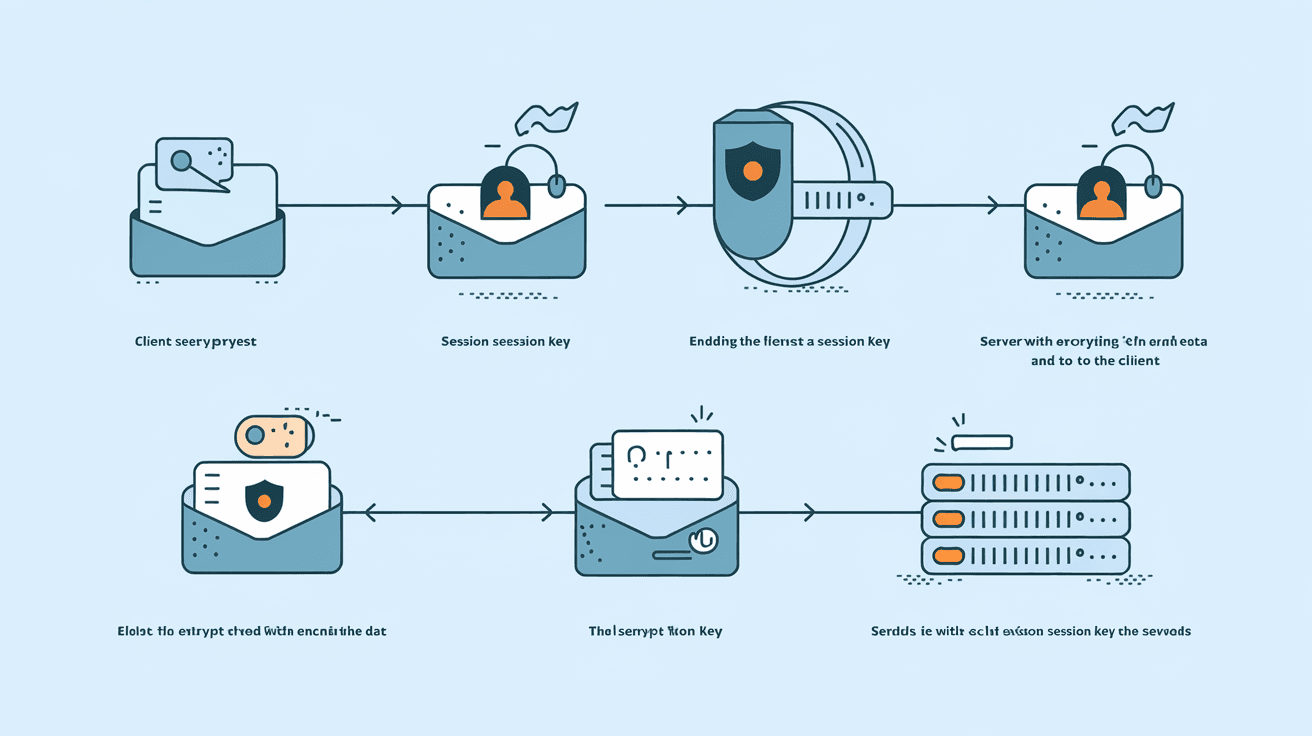
- When you start a session, your device and the server agree on an encryption method.
- They exchange keys, which are like secret passwords used to scramble and unscramble data.
- All data sent during the session is encrypted using these keys.
- When the session ends, the keys are discarded, so the encrypted data can’t be reused.
This process is often part of protocols like HTTPS, which you see as a padlock icon in your browser’s address bar.
Why Is Session Encryption Important?
Session encryption is crucial because it protects your data from hackers and eavesdroppers. Without it, anyone on the same network or anywhere along the data path could intercept and read your information.
Here are some reasons why session encryption matters:
- Protects Personal Information: Keeps your passwords, credit card details, and private messages safe.
- Prevents Data Theft: Stops cybercriminals from stealing your data during transmission.
- Builds Trust: Websites using session encryption show users they care about security.
- Meets Compliance: Many industries require encryption to follow legal standards.
Without session encryption, your online activities would be vulnerable to attacks like man-in-the-middle, where someone secretly intercepts your communication.
Types of Session Encryption
There are several types of encryption used to secure sessions. The most common ones include:
Symmetric Encryption
- Uses the same key for both encrypting and decrypting data.
- Fast and efficient for large amounts of data.
- Requires a secure way to share the key between devices.
Asymmetric Encryption
- Uses a pair of keys: a public key to encrypt and a private key to decrypt.
- More secure for exchanging keys but slower than symmetric encryption.
- Often used to establish a secure connection before switching to symmetric encryption.
Hybrid Encryption
- Combines symmetric and asymmetric methods.
- Uses asymmetric encryption to exchange keys securely.
- Then uses symmetric encryption for the actual data transfer.
Most session encryption systems use hybrid encryption to balance security and speed.
How Session Encryption Protects Your Online Activities
Session encryption protects various online activities by securing the data you send and receive. Here are some examples:
- Online Banking: Your login details and transactions are encrypted to prevent theft.
- E-Commerce: Credit card information and personal details are protected during checkout.
- Email and Messaging: Messages are encrypted to keep conversations private.
- Remote Work: VPNs use session encryption to secure connections to company networks.
By encrypting your session, these services ensure that even if someone intercepts the data, they won’t be able to understand or misuse it.
Session Encryption vs. Other Types of Encryption
It’s helpful to understand how session encryption differs from other encryption types:
| Encryption Type | Purpose | Duration | Example Use Case |
| Session Encryption | Protects data during a single session | Temporary (session-based) | HTTPS connections |
| End-to-End Encryption | Secures data from sender to receiver | Persistent (message-based) | Messaging apps like Signal |
| Disk Encryption | Protects data stored on a device | Persistent (storage-based) | Encrypting hard drives |
| File Encryption | Secures individual files | Persistent (file-based) | Encrypting sensitive documents |
Session encryption focuses on protecting data while it moves between your device and a server, making it essential for safe browsing and online transactions.
How to Know If Your Session Is Encrypted
You can easily check if your session is encrypted by looking for these signs:
- HTTPS in the URL: The website address starts with "https://" instead of "http://".
- Padlock Icon: A padlock symbol appears in the browser’s address bar.
- Security Certificates: Clicking the padlock shows details about the site’s security certificate.
Most modern websites use session encryption by default, especially for login pages and payment forms.
Challenges and Limitations of Session Encryption
While session encryption is powerful, it has some challenges:
- Key Management: Securely exchanging and managing encryption keys is complex.
- Session Hijacking: Attackers can sometimes steal session tokens to impersonate users.
- Performance Impact: Encryption adds some processing overhead, which can slow down connections.
- Not End-to-End: Session encryption protects data in transit but not necessarily on the server or device.
Understanding these limitations helps you stay cautious and use additional security measures like strong passwords and two-factor authentication.
Best Practices for Using Session Encryption
To make the most of session encryption, follow these tips:
- Always use websites with HTTPS, especially when entering sensitive information.
- Keep your browser and apps updated to support the latest encryption standards.
- Avoid using public Wi-Fi for sensitive transactions unless you use a VPN.
- Log out of websites when you finish your session.
- Use strong, unique passwords and enable two-factor authentication.
These steps help ensure your sessions stay secure and your data remains private.
The Future of Session Encryption
Session encryption continues to evolve as cyber threats grow more sophisticated. Here are some trends shaping its future:
- Quantum-Resistant Encryption: Developing new algorithms to protect against future quantum computers.
- Improved Key Exchange: Faster and more secure methods for exchanging encryption keys.
- Wider Adoption: More websites and apps will use session encryption by default.
- Integration with AI: Using artificial intelligence to detect and respond to encryption-related threats.
These advancements will make your online sessions even safer in the years ahead.
Conclusion
Session encryption is a vital part of online security. It protects your data while you browse, shop, or communicate, keeping your information safe from hackers. By scrambling your data during each session, it ensures that only you and the intended server can understand what’s being sent.
You can protect yourself by using websites with HTTPS, keeping your software updated, and practicing good security habits. Understanding session encryption helps you stay safer online and enjoy the benefits of a more secure internet experience.
FAQs
What does session encryption protect?
Session encryption protects the data exchanged between your device and a server during an online session, such as passwords, credit card details, and personal messages.
How can I tell if a website uses session encryption?
Look for "https://" in the URL and a padlock icon in your browser’s address bar. These indicate the site uses session encryption.
Is session encryption the same as end-to-end encryption?
No. Session encryption protects data during transmission between your device and a server, while end-to-end encryption secures data directly between sender and receiver.
Can session encryption prevent all cyber attacks?
Session encryption protects data in transit but doesn’t stop all attacks. Additional security measures like strong passwords and two-factor authentication are also important.
Why do some websites still use HTTP instead of HTTPS?
Some websites use HTTP due to outdated systems or cost concerns, but HTTPS is becoming the standard because it offers much better security.




