
What is Security Analytics Dashboard
Introduction
You might have heard about security analytics dashboards but wondered what they really are and why they matter. In today’s digital world, protecting your data and systems is more important than ever. A security analytics dashboard helps you see and understand your security status in one place.
We’ll explore what a security analytics dashboard is, how it works, and why it’s a vital tool for businesses and IT teams. By the end, you’ll know how this dashboard can help you spot threats faster and keep your systems safe.
What is a Security Analytics Dashboard?
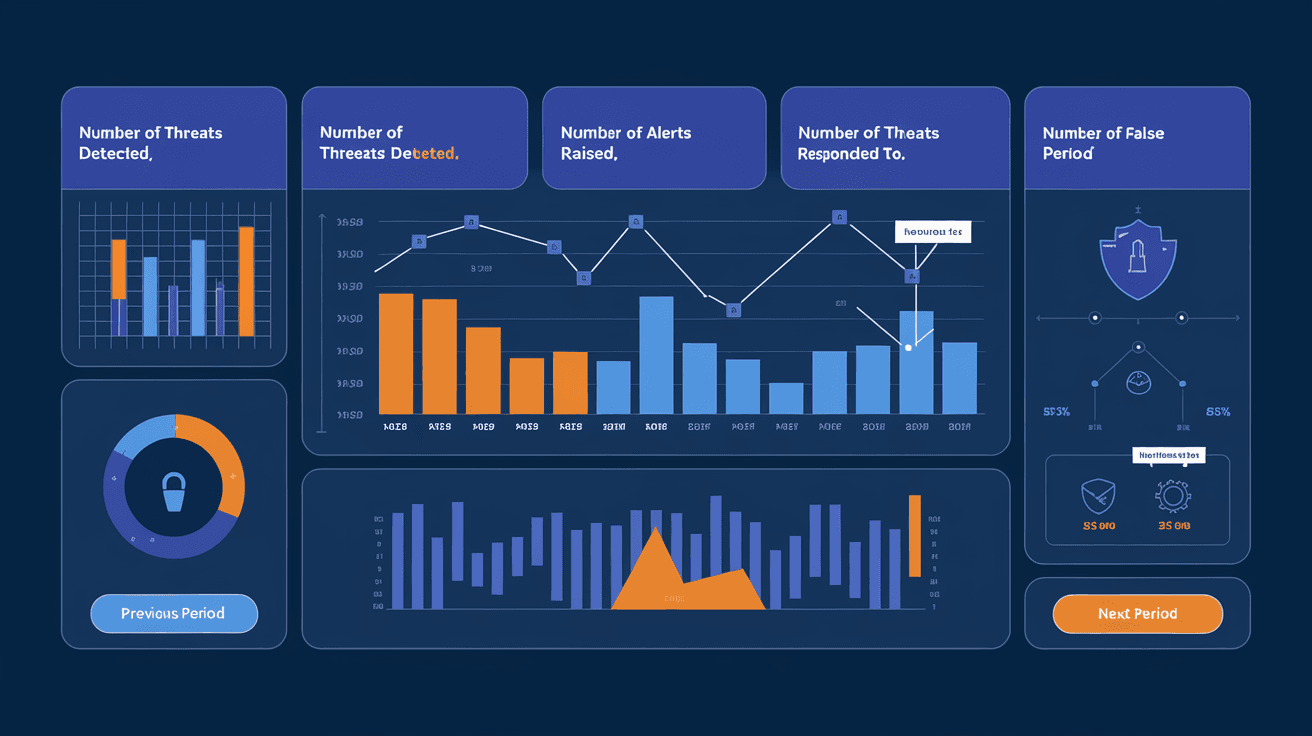
A security analytics dashboard is a visual tool that collects, analyzes, and displays security data from various sources. It gives you a clear overview of your organization's security posture in real time. Instead of digging through logs or reports, you get all the important information on one screen.
This dashboard helps security teams monitor threats, detect unusual activities, and respond quickly. It combines data from firewalls, antivirus software, intrusion detection systems, and more. The goal is to make complex security data easy to understand and act upon.
Key Features of a Security Analytics Dashboard
- Real-time monitoring: See live updates on security events.
- Data visualization: Use charts, graphs, and heat maps to spot trends.
- Alerts and notifications: Get warnings about suspicious activities.
- Customizable views: Tailor the dashboard to focus on what matters most.
- Integration: Connect with multiple security tools and data sources.
How Does a Security Analytics Dashboard Work?
A security analytics dashboard works by gathering data from different security systems and analyzing it to find patterns or threats. Here’s a simple breakdown of the process:
- Data Collection: The dashboard pulls data from firewalls, antivirus programs, network devices, and cloud services.
- Data Normalization: It converts different data formats into a standard form for easier analysis.
- Threat Detection: Using rules and machine learning, the dashboard identifies suspicious behavior or known attack patterns.
- Visualization: The results are displayed in easy-to-read charts and graphs.
- Alerting: When a threat is detected, the dashboard sends alerts to security teams for quick action.
This process helps reduce the time it takes to detect and respond to cyber threats, which is crucial for minimizing damage.
Technologies Behind Security Analytics Dashboards
- Big Data Analytics: Handles large volumes of security data.
- Machine Learning: Learns from past attacks to predict new threats.
- SIEM (Security Information and Event Management): Collects and analyzes security events.
- User and Entity Behavior Analytics (UEBA): Detects unusual user activities.
Why is a Security Analytics Dashboard Important?
You might wonder why you need a security analytics dashboard when you already have antivirus or firewall software. The answer is that these tools alone don’t give you the full picture. A dashboard brings all your security data together, making it easier to spot risks early.
Benefits of Using a Security Analytics Dashboard
- Faster Threat Detection: Quickly identify attacks before they cause damage.
- Improved Incident Response: Respond to threats with clear, actionable information.
- Better Decision Making: Use data insights to strengthen security policies.
- Compliance Support: Track and report security events to meet regulations.
- Resource Efficiency: Save time by automating data analysis and alerts.
For example, a company using a security analytics dashboard can detect a ransomware attack early by noticing unusual file access patterns. This early warning allows them to isolate affected systems and prevent widespread damage.
Common Use Cases for Security Analytics Dashboards
Security analytics dashboards are used in many industries and scenarios. Here are some common examples:
- Enterprise Security: Large organizations monitor networks and endpoints for threats.
- Cloud Security: Track security events across cloud platforms like AWS or Azure.
- Compliance Monitoring: Ensure adherence to standards like GDPR, HIPAA, or PCI-DSS.
- Threat Hunting: Security analysts proactively search for hidden threats.
- Incident Management: Coordinate responses to security breaches.
Each use case benefits from the dashboard’s ability to provide a centralized, real-time view of security data.
How to Choose the Right Security Analytics Dashboard
Choosing the right dashboard depends on your organization’s needs and existing security tools. Here are some factors to consider:
- Integration Capabilities: Can it connect with your current security systems?
- User Interface: Is it easy to use and understand?
- Customization: Can you tailor views and alerts to your priorities?
- Scalability: Will it handle your data as your organization grows?
- Cost: Does it fit your budget without sacrificing key features?
- Support and Updates: Is there good vendor support and regular improvements?
You might want to try demos or free trials to see which dashboard fits your team best.
Best Practices for Using a Security Analytics Dashboard
To get the most from your security analytics dashboard, follow these tips:
- Regularly Update Data Sources: Keep integrations current to avoid blind spots.
- Set Meaningful Alerts: Avoid alert fatigue by tuning notifications to real threats.
- Train Your Team: Make sure users understand how to interpret dashboard data.
- Review Dashboards Often: Check dashboards daily to catch issues early.
- Combine with Other Tools: Use alongside firewalls, antivirus, and endpoint detection.
By following these practices, you’ll improve your security posture and reduce risks.
Challenges and Limitations of Security Analytics Dashboards
While these dashboards are powerful, they also have challenges:
- Data Overload: Too much data can overwhelm users without proper filtering.
- False Positives: Alerts may sometimes flag harmless activities.
- Complex Setup: Integrating multiple data sources can be difficult.
- Cost: Advanced dashboards can be expensive for small businesses.
- Skill Requirements: Teams need training to use dashboards effectively.
Understanding these limitations helps you plan better and choose the right solution.
Future Trends in Security Analytics Dashboards
Security analytics dashboards continue to evolve with new technologies. Here are some trends shaping their future:
- AI and Automation: More use of artificial intelligence to detect threats and automate responses.
- Cloud-Native Dashboards: Designed specifically for cloud environments.
- Enhanced User Behavior Analytics: Better detection of insider threats.
- Integration with Zero Trust Security: Supporting modern security frameworks.
- Mobile Access: Dashboards accessible on smartphones for on-the-go monitoring.
These trends will make security analytics dashboards even more essential for protecting digital assets.
Conclusion
A security analytics dashboard is a must-have tool for anyone serious about cybersecurity. It brings together data from many sources, making it easier to spot threats and respond quickly. Whether you manage a small business or a large enterprise, this dashboard helps you stay one step ahead of cyber attackers.
By understanding how these dashboards work and what to look for, you can choose the right one for your needs. Remember, the best security comes from combining smart tools with skilled people. A security analytics dashboard is your window into the health of your security systems, helping you protect what matters most.
FAQs
What types of data does a security analytics dashboard collect?
It collects data from firewalls, antivirus software, network devices, cloud services, and user activity logs to provide a comprehensive view of security events.
How does a security analytics dashboard help in threat detection?
It analyzes data patterns and uses machine learning to identify unusual behaviors or known attack signatures, alerting teams to potential threats quickly.
Can small businesses benefit from security analytics dashboards?
Yes, many dashboards offer scalable solutions that fit small business budgets and help improve security without needing large IT teams.
What is the difference between a SIEM and a security analytics dashboard?
SIEM collects and analyzes security events, while a security analytics dashboard visualizes this data, making it easier to understand and act upon.
How often should security teams check the dashboard?
Daily monitoring is recommended to catch threats early and maintain a strong security posture.




