
What is Scareware
Introduction
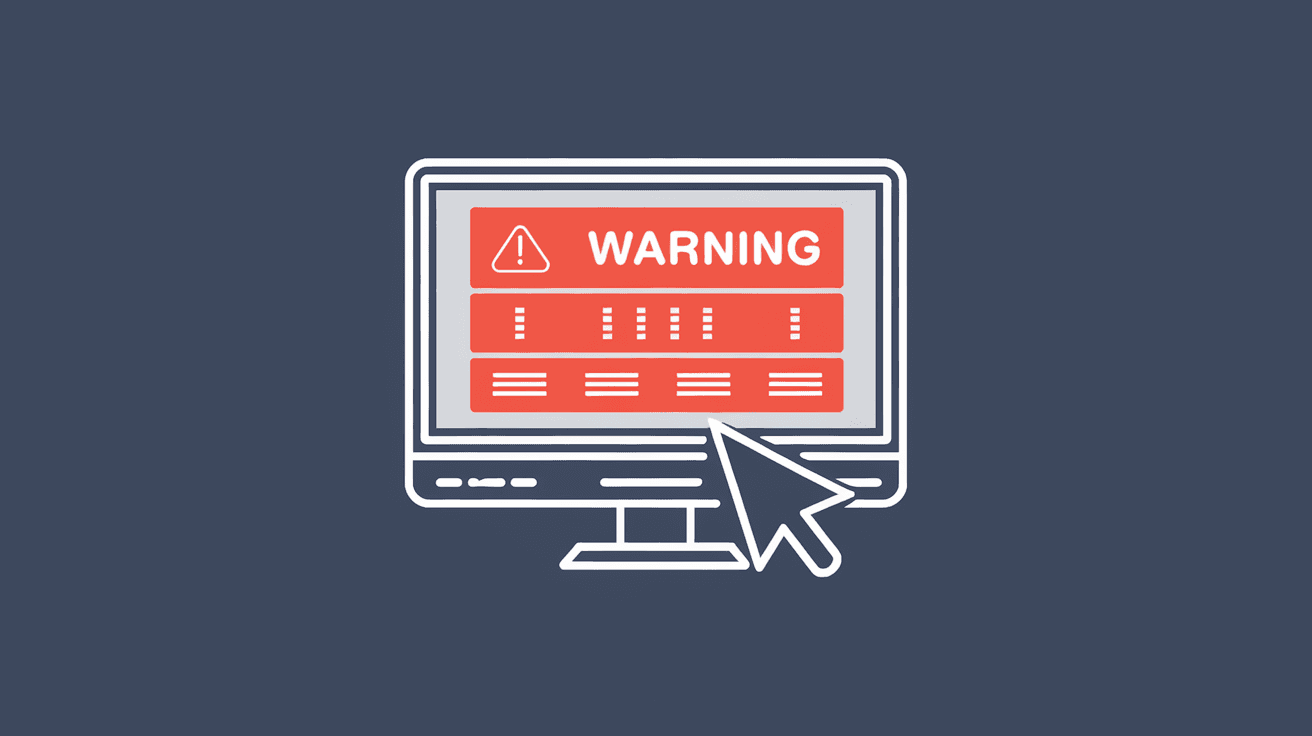
You might have seen scary pop-ups warning you that your computer is infected or that you need to act fast to avoid losing your data. These alarming messages are often caused by something called scareware. If you’ve ever wondered what scareware really is and how it affects your devices, you’re in the right place.
In this article, I’ll explain what scareware is, how it tricks people, and what you can do to stay safe. Understanding scareware helps you avoid falling for these fake threats and keeps your computer and personal information secure.
What Is Scareware?
Scareware is a type of malicious software designed to trick you into believing your computer has a serious problem. It uses fear tactics to push you into buying fake antivirus programs or downloading harmful software. The goal is to scare you into paying for unnecessary or even dangerous services.
This software often appears as pop-up alerts or fake system messages that look very real. They might say your computer is infected with viruses or that your personal data is at risk. But these warnings are false. Instead, scareware tries to make you panic so you act quickly without thinking.
How Scareware Works
- Fake alerts: Scareware shows fake virus warnings or system errors.
- Urgency: It creates a sense of urgency, telling you to act immediately.
- Offers fake solutions: It prompts you to buy or download software that claims to fix the problem.
- Installs malware: Sometimes, the software you download contains real viruses or spyware.
By pretending to be helpful, scareware tricks users into installing more harmful programs or giving away money.
Common Types of Scareware
Scareware comes in different forms, but they all use fear to manipulate you. Here are some common types:
- Fake antivirus software: These programs claim to scan your computer and find threats. After the fake scan, they ask you to pay to remove the supposed viruses.
- Pop-up warnings: You might see pop-ups while browsing that say your system is infected or your data is at risk.
- Browser hijackers: These change your browser settings and show fake alerts or redirect you to scam websites.
- Ransomware-like scareware: Some scareware mimics ransomware by locking your screen and demanding payment to unlock it, but it doesn’t actually encrypt your files.
Each type tries to scare you into taking action that benefits the attacker.
How to Recognize Scareware
Knowing how to spot scareware helps you avoid falling victim. Here are signs to watch for:
- Unexpected pop-ups: Alerts that appear out of nowhere, especially while browsing.
- Poor grammar or spelling: Many scareware messages have mistakes or awkward language.
- Requests for payment: Messages asking for credit card details or payment to fix issues.
- Unusual software installation: Programs installed without your clear consent.
- Pressure tactics: Warnings that say you must act immediately or face serious consequences.
If you see these signs, it’s likely scareware trying to trick you.
The Risks of Scareware
Scareware can cause serious problems beyond just annoying pop-ups. Here’s what you risk:
- Financial loss: Paying for fake software or services wastes your money.
- Data theft: Some scareware steals personal information like passwords or credit card numbers.
- Malware infection: Installing scareware can bring real viruses or spyware onto your device.
- System damage: Some scareware slows down your computer or causes crashes.
- Privacy invasion: Your browsing habits or files might be monitored without your knowledge.
Understanding these risks shows why it’s important to avoid scareware.
How to Protect Yourself from Scareware
Protecting yourself from scareware involves a mix of good habits and using the right tools. Here’s what you can do:
- Use trusted antivirus software: Reliable security programs can detect and block scareware.
- Keep software updated: Regular updates fix security holes that scareware might exploit.
- Avoid clicking suspicious links: Don’t click on pop-ups or links from unknown sources.
- Don’t trust unsolicited alerts: Real antivirus programs don’t usually send pop-ups through your browser.
- Use a pop-up blocker: Most browsers have settings or extensions to block unwanted pop-ups.
- Be cautious with downloads: Only download software from official websites or trusted sources.
- Regularly back up data: In case of infection, backups help you restore your files without paying scammers.
Following these steps reduces your chances of falling victim to scareware.
What to Do If You Encounter Scareware
If you see a scareware alert, don’t panic. Here’s how to handle it safely:
- Don’t click on the alert: Avoid interacting with the pop-up or message.
- Close the browser or app: Use the task manager or force quit if needed.
- Run a full antivirus scan: Use your trusted security software to check for threats.
- Clear your browser cache and cookies: This can remove some scareware scripts.
- Update your software: Make sure your operating system and apps are current.
- Seek professional help: If you’re unsure, ask a tech expert to check your device.
Taking calm, careful steps helps you remove scareware without causing more harm.
The Difference Between Scareware and Other Malware
Scareware is a type of malware, but it’s different from others like viruses or ransomware. Here’s how:
| Feature | Scareware | Virus | Ransomware |
| Purpose | Scare user to buy fake software | Damage or spread to other devices | Lock files and demand ransom |
| Method | Fake alerts and pop-ups | Self-replicates and infects files | Encrypts data and blocks access |
| User interaction | Requires user to act (buy/install) | Often automatic | User must pay to regain access |
| Damage level | Mostly psychological and financial | Can corrupt or delete files | Can cause data loss if unpaid |
Knowing these differences helps you understand the threat and respond properly.
Why Scareware Is Still a Problem in 2025
Even with better security tools, scareware remains a problem. Here’s why:
- Social engineering: Scareware relies on tricking people, and attackers keep improving their tactics.
- New platforms: Scareware now targets smartphones and tablets, not just PCs.
- Fake tech support scams: Scammers call or message pretending to be tech support, pushing scareware.
- Evolving malware: Scareware often comes bundled with other malware, making it harder to detect.
- User awareness gaps: Many people still don’t recognize scareware or know how to respond.
Because of these factors, staying informed and cautious is more important than ever.
Conclusion
Scareware is a sneaky form of malware that uses fear to trick you into buying fake software or downloading harmful programs. It’s designed to make you panic and act quickly, but understanding how it works helps you stay safe. By recognizing the signs and following good security habits, you can protect your devices and personal information.
Remember, real antivirus software won’t pressure you with urgent pop-ups or demand payment through scary alerts. Stay calm, use trusted tools, and don’t let scareware scare you into making mistakes. With the right knowledge, you can keep your digital life secure and worry-free.
FAQs
What does scareware do to my computer?
Scareware tricks you into thinking your computer is infected. It shows fake alerts and tries to get you to buy or install harmful software, which can lead to real infections or financial loss.
How can I tell if a virus warning is fake?
Fake warnings often appear as unexpected pop-ups, use poor grammar, demand immediate payment, or come from websites rather than your antivirus program. Always verify alerts through your trusted security software.
Is scareware the same as ransomware?
No. Scareware scares you with fake alerts, while ransomware locks your files and demands payment to unlock them. Both are harmful but work differently.
Can scareware infect smartphones?
Yes. Scareware now targets smartphones and tablets, often through malicious apps or fake alerts in browsers. Protect your mobile devices with security apps and cautious browsing.
What should I do if I accidentally install scareware?
Run a full scan with trusted antivirus software, remove any detected threats, clear your browser data, and update your system. If problems persist, seek help from a professional technician.




