
What is Process Behavior Monitoring
Introduction
You might have heard about Process Behavior Monitoring but wonder what it really means and why it matters. In simple terms, it’s a way to watch how programs behave on your computer or network. This helps catch problems early, like malware or software bugs, before they cause serious damage.
We’ll explore what Process Behavior Monitoring is, how it works, and why it’s becoming a key part of cybersecurity and system management. By the end, you’ll understand how this tool keeps your devices safer and running smoothly.
What is Process Behavior Monitoring?
Process Behavior Monitoring (PBM) is a security and management technique that tracks the actions of running processes on a computer or network. Instead of just checking if a program is allowed to run, PBM watches what the program actually does. This helps detect unusual or harmful behavior that might indicate malware or system errors.
How PBM Works
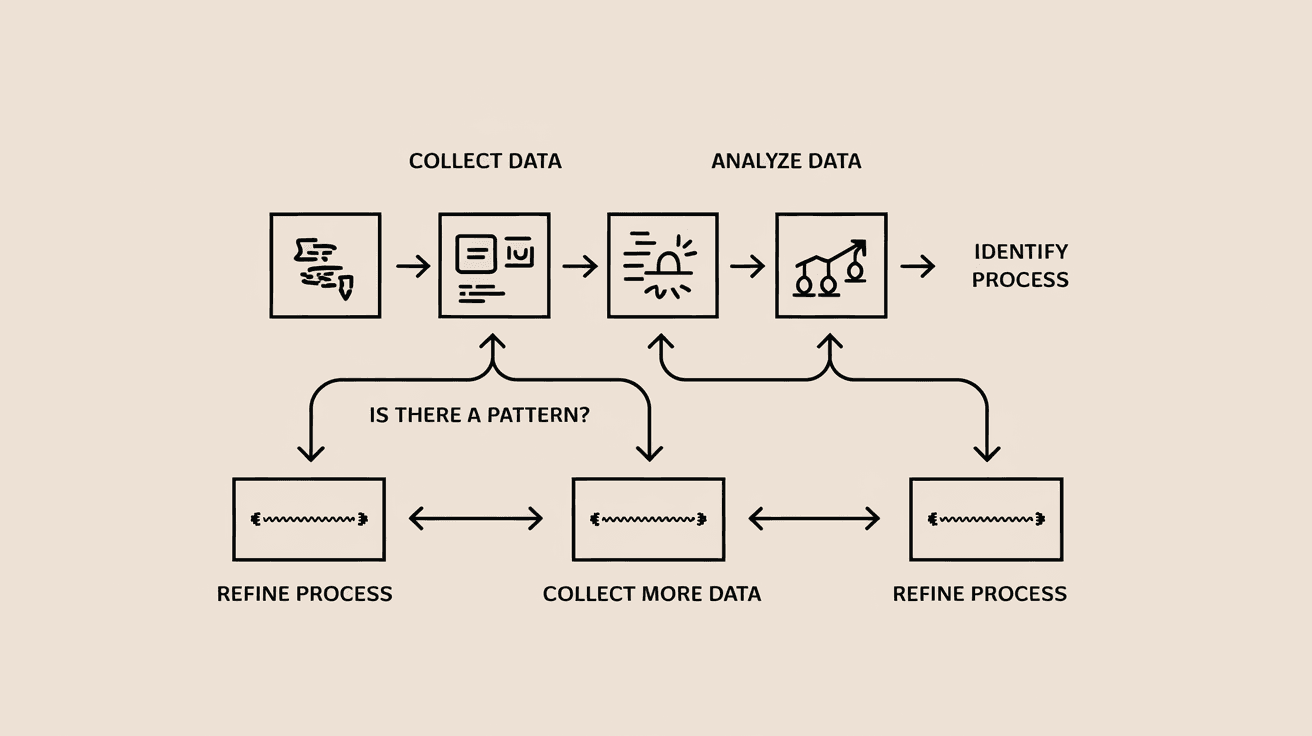
- PBM collects data on process activities like file access, network connections, and system changes.
- It compares this behavior to known patterns of normal and malicious processes.
- When it spots something unusual, it alerts administrators or takes automatic action.
This approach is more effective than traditional antivirus methods that rely on known signatures. PBM can catch new or unknown threats by focusing on behavior rather than just code.
Why is Process Behavior Monitoring Important?
You might wonder why just watching processes is so valuable. Here are some reasons:
- Detects Unknown Threats: PBM can identify zero-day attacks or new malware that signature-based tools miss.
- Improves System Stability: By spotting abnormal behavior, PBM helps prevent crashes or slowdowns caused by faulty software.
- Supports Compliance: Many regulations require monitoring of system activities to protect sensitive data.
- Reduces False Positives: Since PBM looks at behavior patterns, it can better distinguish between safe and harmful actions.
In today’s complex IT environments, PBM adds an essential layer of defense and insight.
Key Features of Process Behavior Monitoring
PBM systems come with several important features that make them effective:
- Real-Time Monitoring: Tracks process activities as they happen.
- Behavioral Baselines: Learns what normal behavior looks like for each process.
- Anomaly Detection: Flags deviations from expected behavior.
- Automated Responses: Can quarantine or stop suspicious processes automatically.
- Detailed Logging: Keeps records for audits and investigations.
These features help organizations respond quickly to threats and maintain system health.
How Process Behavior Monitoring Works in Practice
Let’s look at a typical example of PBM in action:
- A user runs a program that suddenly tries to access sensitive files it normally doesn’t.
- PBM notices this unusual file access and compares it to the program’s usual behavior.
- Since this is a deviation, PBM raises an alert or blocks the action.
- The security team investigates and finds that the program was compromised by malware.
This proactive approach stops attacks before they spread or cause damage.
Benefits of Using Process Behavior Monitoring
Using PBM offers many advantages for businesses and individuals:
- Early Threat Detection: Catches attacks before they escalate.
- Reduced Downtime: Prevents system crashes by identifying problematic processes.
- Improved Security Posture: Adds a layer beyond traditional antivirus.
- Better Visibility: Provides insights into what’s happening inside your systems.
- Compliance Support: Helps meet regulatory requirements for monitoring.
These benefits make PBM a valuable tool in modern cybersecurity strategies.
Challenges and Limitations of Process Behavior Monitoring
While PBM is powerful, it’s not without challenges:
- Complex Setup: Requires tuning to avoid too many false alarms.
- Resource Intensive: Continuous monitoring can use significant system resources.
- Requires Expertise: Interpreting behavior data needs skilled analysts.
- Potential Privacy Concerns: Monitoring processes might raise privacy issues if not managed properly.
Understanding these limitations helps you plan and implement PBM effectively.
Process Behavior Monitoring vs. Traditional Antivirus
It’s helpful to compare PBM with traditional antivirus software:
| Feature | Process Behavior Monitoring | Traditional Antivirus |
| Detection Method | Monitors behavior and anomalies | Uses known malware signatures |
| Effectiveness | Detects unknown and zero-day threats | Limited to known threats |
| False Positives | Lower with proper tuning | Can be higher due to signature mismatches |
| Response Time | Real-time alerts and actions | Depends on signature updates |
| Resource Usage | Higher due to continuous monitoring | Generally lower |
PBM complements antivirus by covering gaps traditional tools might miss.
Implementing Process Behavior Monitoring
If you want to add PBM to your security setup, here’s how to start:
- Choose the Right Tool: Look for PBM solutions that fit your environment and needs.
- Define Baselines: Allow the system to learn normal behavior patterns.
- Set Alert Thresholds: Tune alerts to balance sensitivity and noise.
- Train Your Team: Ensure staff can analyze and respond to alerts.
- Integrate with Other Tools: Combine PBM with antivirus and SIEM systems for better coverage.
Following these steps helps you get the most from PBM.
Future Trends in Process Behavior Monitoring
PBM is evolving with technology advances:
- AI and Machine Learning: These improve anomaly detection accuracy.
- Cloud Integration: PBM is expanding to monitor cloud workloads and containers.
- Automated Remediation: Systems are becoming smarter at responding without human intervention.
- Behavioral Analytics: Deeper analysis of user and process behavior for threat hunting.
These trends mean PBM will become even more essential in cybersecurity.
Conclusion
Process Behavior Monitoring is a powerful way to keep your systems safe by watching what programs actually do. It goes beyond traditional antivirus by detecting unknown threats and unusual activities in real time. Whether you manage a business network or personal devices, PBM helps catch problems early and keeps your systems running smoothly.
By understanding how PBM works and its benefits, you can make smarter decisions about protecting your digital environment. As threats grow more complex, tools like Process Behavior Monitoring will be key to staying one step ahead.
FAQs
What types of processes does Process Behavior Monitoring track?
PBM tracks all running processes on a system, focusing on their actions like file access, network connections, and system changes to detect unusual or malicious behavior.
Can Process Behavior Monitoring detect zero-day attacks?
Yes, PBM can identify zero-day attacks by spotting behavior that deviates from normal patterns, even if the malware signature is unknown.
Is Process Behavior Monitoring resource-heavy?
PBM can use more system resources due to continuous monitoring, but modern solutions optimize performance to minimize impact.
How does PBM reduce false positives?
By learning normal behavior baselines and analyzing context, PBM distinguishes between safe and suspicious actions, reducing false alarms.
Can Process Behavior Monitoring work with cloud environments?
Absolutely. Many PBM tools now support cloud workloads and container monitoring to protect modern IT infrastructures.




