
What is Phishing Attack
Introduction
You’ve probably heard the term “phishing attack” before, but what does it really mean? Phishing attacks are one of the most common ways cybercriminals trick people into giving away sensitive information. These attacks can happen to anyone, whether you’re an individual or part of a large organization.
In this article, I’ll explain what phishing attacks are, how they work, and why they’re so dangerous. I’ll also share practical tips to help you spot and avoid falling victim to these scams. Understanding phishing is the first step to staying safe online.
What Is a Phishing Attack?
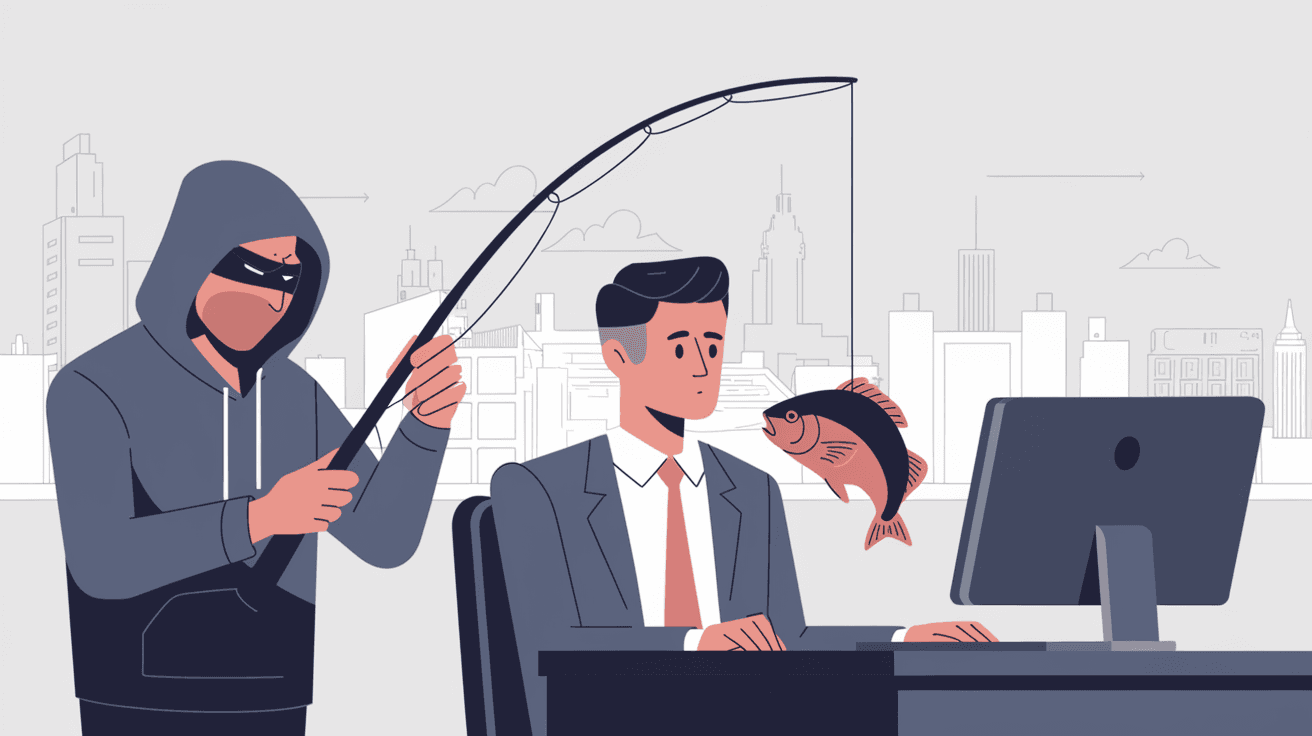
A phishing attack is a type of cybercrime where attackers pretend to be trustworthy entities to steal your personal information. This could include passwords, credit card numbers, or other sensitive data. The word “phishing” is a play on “fishing,” where attackers “fish” for victims by baiting them with fake messages.
Phishing attacks usually come through emails, text messages, or fake websites. They look real enough to fool many people. The goal is to trick you into clicking a link or downloading a file that leads to data theft or malware infection.
Common Types of Phishing Attacks
- Email Phishing: The most common form, where attackers send fake emails that look like they come from banks, companies, or friends.
- Spear Phishing: A targeted attack aimed at a specific person or organization, often using personal information to seem more convincing.
- Smishing: Phishing through SMS or text messages, asking you to click a link or call a number.
- Vishing: Voice phishing, where attackers call pretending to be from a trusted source to get your information.
- Clone Phishing: A legitimate email is copied and altered to include malicious links or attachments.
How Do Phishing Attacks Work?
Phishing attacks rely on tricking you into trusting the attacker. Here’s a simple breakdown of how they usually work:
- Bait: You receive a message that looks real, often urgent or important.
- Hook: The message asks you to click a link, open an attachment, or provide information.
- Catch: Once you act, the attacker steals your data or infects your device with malware.
- Exploit: The stolen information is used for fraud, identity theft, or further attacks.
Attackers often use social engineering techniques to make their messages believable. They might copy logos, use official-sounding language, or create fake websites that look identical to real ones.
Examples of Phishing Scenarios
- An email claiming to be from your bank asking you to verify your account details.
- A message from a “friend” on social media with a suspicious link.
- A fake invoice from a company you do business with, asking for payment.
- A text message warning about a package delivery and asking you to click a link.
Why Are Phishing Attacks Dangerous?
Phishing attacks are dangerous because they exploit human trust and can cause serious harm. Here’s why you should take them seriously:
- Data Theft: Attackers can steal your passwords, credit card numbers, and personal info.
- Financial Loss: Phishing can lead to unauthorized bank transactions or credit card charges.
- Identity Theft: Your stolen data can be used to open fake accounts or commit crimes in your name.
- Malware Infection: Clicking on phishing links can install viruses or ransomware on your device.
- Business Risks: For companies, phishing can lead to data breaches, loss of customer trust, and legal penalties.
Cybersecurity experts report that phishing remains the top method for cyberattacks worldwide. The FBI’s Internet Crime Complaint Center receives thousands of phishing reports every month, showing how widespread and costly these attacks are.
How to Recognize a Phishing Attack
Spotting a phishing attack can be tricky, but there are common signs you can watch for:
- Suspicious Sender: The email or message comes from an unknown or strange address.
- Urgent Language: Messages that pressure you to act quickly or threaten consequences.
- Poor Grammar and Spelling: Many phishing messages contain mistakes or awkward phrasing.
- Unusual Links: Hover over links to see if the URL matches the supposed sender.
- Unexpected Attachments: Be cautious of files you weren’t expecting, especially if they ask you to enable macros or run programs.
- Requests for Personal Info: Legitimate companies rarely ask for sensitive data via email or text.
Quick Checklist to Identify Phishing
- Check the sender’s email address carefully.
- Look for spelling and grammar errors.
- Avoid clicking on links or downloading attachments from unknown sources.
- Verify requests by contacting the company directly using official contact info.
- Use security software that can detect phishing attempts.
How to Protect Yourself from Phishing Attacks
Protecting yourself from phishing attacks involves a mix of awareness and technology. Here are some practical steps you can take:
Stay Alert and Educated
- Always question unexpected messages, especially those asking for personal info.
- Learn about the latest phishing tactics to stay one step ahead.
- Share knowledge with friends and family to help protect them too.
Use Strong Security Measures
- Enable two-factor authentication (2FA) on your accounts for extra protection.
- Use a reputable antivirus and anti-phishing software.
- Keep your software and devices updated to patch security vulnerabilities.
Verify Before You Click
- Don’t click on links or open attachments unless you’re sure they’re safe.
- When in doubt, go directly to the company’s website by typing the URL yourself.
- Confirm suspicious requests by calling the company using official phone numbers.
Report Phishing Attempts
- Report phishing emails to your email provider or IT department.
- Forward phishing messages to organizations like the Anti-Phishing Working Group (APWG).
- Inform friends or colleagues if you receive phishing messages pretending to be from them.
What to Do If You Fall Victim to a Phishing Attack
If you think you’ve been tricked by a phishing attack, act quickly to minimize damage:
- Change your passwords immediately, especially for important accounts.
- Contact your bank or credit card company to report any suspicious activity.
- Run a full antivirus scan on your device to check for malware.
- Monitor your accounts closely for unauthorized transactions.
- Report the incident to your company’s IT team or local authorities.
Taking fast action can help protect your identity and prevent further harm.
The Future of Phishing Attacks
Phishing attacks continue to evolve, becoming more sophisticated and harder to detect. Cybercriminals are using artificial intelligence and machine learning to craft more convincing messages. They also exploit new platforms like social media and messaging apps.
At the same time, cybersecurity experts are developing better tools to fight phishing. These include advanced email filters, AI-powered threat detection, and user training programs. Staying informed and cautious remains your best defense.
Conclusion
Phishing attacks are a serious threat that can affect anyone online. They work by tricking you into giving away sensitive information through fake messages and websites. Understanding how phishing works helps you recognize the signs and avoid falling victim.
By staying alert, using strong security practices, and verifying suspicious messages, you can protect yourself from these scams. Remember, cybercriminals rely on your trust, so don’t let them catch you off guard. Staying informed and cautious is the key to staying safe in today’s digital world.
FAQs
What is the main goal of a phishing attack?
The main goal is to steal sensitive information like passwords, credit card numbers, or personal data by tricking victims into revealing it through fake messages or websites.
How can I tell if an email is a phishing attempt?
Look for suspicious sender addresses, urgent language, poor grammar, unexpected attachments, and links that don’t match the supposed sender’s website.
What should I do if I click on a phishing link?
Immediately change your passwords, run a virus scan, monitor your accounts for unusual activity, and report the incident to your IT department or relevant authorities.
Are phishing attacks only done through email?
No, phishing can happen via email, text messages (smishing), phone calls (vishing), social media, and fake websites.
Can antivirus software prevent phishing attacks?
Antivirus software helps detect and block many phishing attempts, but it’s not foolproof. Combining it with cautious behavior and two-factor authentication offers better protection.




