
What is Pharming Attack
Introduction
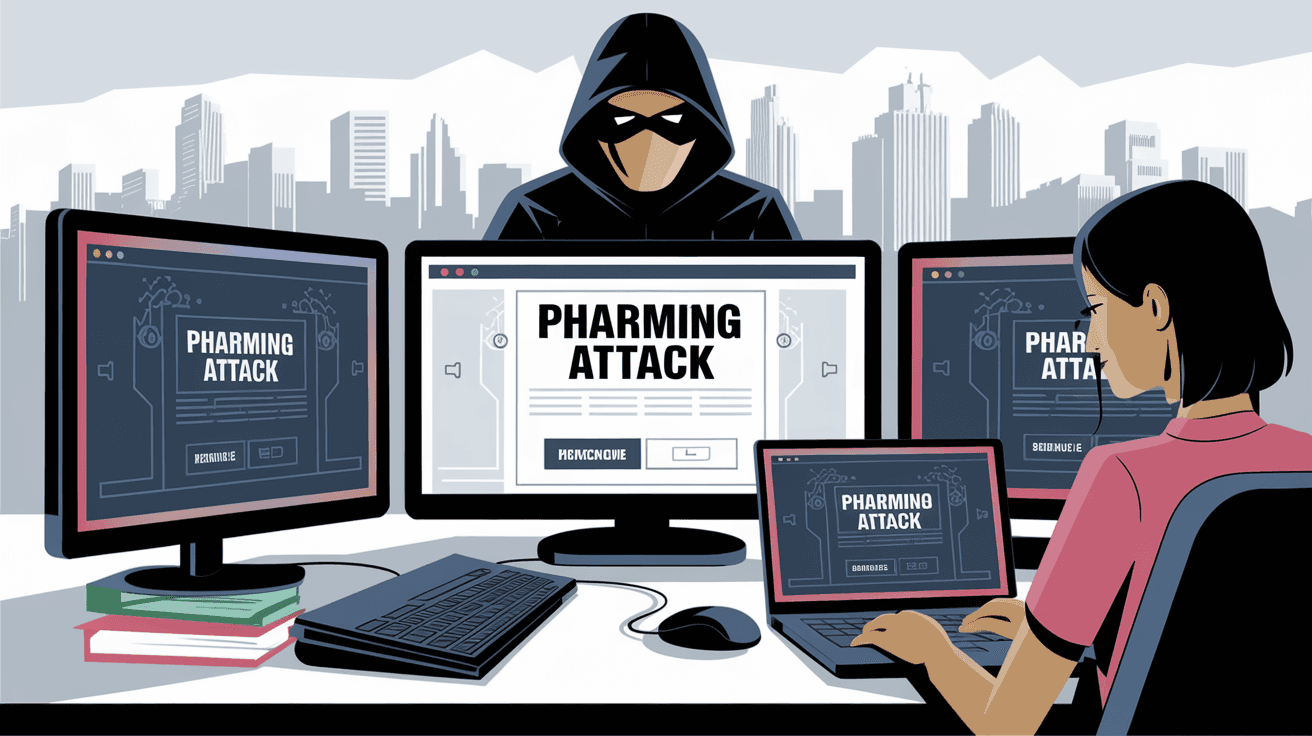
You might have heard about phishing attacks, but have you come across the term "pharming attack"? If not, don't worry. I’m here to explain what a pharming attack is and why it matters to you. In simple terms, pharming tricks you into visiting fake websites without your knowledge, even if you type the correct web address.
Understanding pharming attacks is important because they can steal your personal information, like passwords and credit card details. By the end of this article, you’ll know how these attacks work and what steps you can take to stay safe online.
What is a Pharming Attack?
A pharming attack is a type of cybercrime where hackers redirect you from a legitimate website to a fake one. Unlike phishing, which often uses emails to lure you, pharming manipulates the way your computer finds websites. This means you can end up on a dangerous site even if you enter the right URL.
Pharming attacks aim to steal sensitive information such as login credentials, banking details, or personal data. The fake website looks almost identical to the real one, making it hard to spot the difference.
How Pharming Works
Pharming attacks usually happen in two main ways:
- DNS Cache Poisoning: The Domain Name System (DNS) translates website names into IP addresses. Hackers corrupt this system so your browser is sent to a fake IP address.
- Hosts File Modification: Your computer has a hosts file that maps website names to IP addresses. Malware can change this file to redirect you to malicious sites.
Both methods trick your device into visiting a fraudulent website without your knowledge.
How is Pharming Different from Phishing?
Pharming and phishing are both cyber threats but work differently:
| Aspect | Pharming | Phishing |
| Method | Redirects via DNS or hosts file | Uses fake emails or messages |
| User Action | No direct action needed | User must click a link or open an attachment |
| Detection | Harder to detect | Often suspicious emails or links |
| Goal | Steal data through fake websites | Steal data through fake websites or forms |
Pharming is more dangerous because it can happen silently, without you clicking anything suspicious.
Common Targets of Pharming Attacks
Pharming attacks usually target websites where users enter sensitive information. Some common targets include:
- Banking Websites: To steal login credentials and money.
- E-commerce Sites: To capture credit card details.
- Email Providers: To access personal and business communications.
- Social Media Platforms: To hijack accounts and spread malware.
- Government Portals: To access confidential information.
Hackers focus on these sites because they hold valuable data that can be sold or used for identity theft.
Signs You Might Be a Victim of Pharming
Detecting a pharming attack can be tricky, but here are some signs to watch for:
- Website looks slightly different than usual (fonts, colors, or layout).
- Browser warnings about insecure connections or invalid certificates.
- Unexpected requests for personal information.
- Being redirected to a website even after typing the correct URL.
- Slow or unusual browser behavior.
If you notice any of these, it’s best to stop and verify the website’s authenticity before proceeding.
How to Protect Yourself from Pharming Attacks
You can take several steps to reduce the risk of falling victim to a pharming attack:
- Use Secure DNS Services: Some DNS providers offer protection against DNS poisoning.
- Keep Software Updated: Regularly update your operating system, browser, and antivirus software.
- Check Website URLs Carefully: Look for HTTPS and verify the domain name.
- Avoid Clicking Suspicious Links: Even if they look legitimate.
- Use Antivirus and Anti-Malware Tools: These can detect and remove malware that modifies your hosts file.
- Enable Two-Factor Authentication (2FA): Adds an extra layer of security to your accounts.
- Clear Your DNS Cache Regularly: This can remove corrupted entries.
By following these steps, you can greatly reduce your chances of being tricked by a pharming attack.
The Role of Organizations in Preventing Pharming
Businesses and website owners also play a crucial role in preventing pharming attacks. Here are some ways they help:
- Implementing DNS Security Extensions (DNSSEC): This technology protects DNS from being tampered with.
- Using SSL/TLS Certificates: Ensures encrypted and secure connections.
- Regular Security Audits: To detect vulnerabilities.
- Educating Employees and Customers: About cyber threats and safe online practices.
- Monitoring Network Traffic: To spot unusual activities that might indicate an attack.
Organizations that invest in these protections help keep their users safe from pharming and other cyber threats.
Real-Life Examples of Pharming Attacks
Pharming attacks have been used in several high-profile cybercrimes. For example:
- In 2024, a major banking institution faced a pharming attack that redirected thousands of users to a fake login page. The bank quickly alerted customers and fixed the DNS issue.
- Another case involved an e-commerce site where hackers modified the DNS records to steal credit card information during checkout.
- Government websites have also been targeted to access confidential data or disrupt services.
These examples show how serious pharming attacks can be and why vigilance is necessary.
What to Do If You Suspect a Pharming Attack
If you think you’ve been targeted by a pharming attack, here’s what you should do immediately:
- Disconnect from the Internet: To stop any ongoing data theft.
- Run a Full Antivirus Scan: To detect and remove malware.
- Change Your Passwords: Especially for sensitive accounts like banking or email.
- Clear Your DNS Cache: To remove any poisoned entries.
- Contact Your Bank or Service Provider: Inform them about the suspicious activity.
- Report the Attack: To cybersecurity authorities or your IT department.
Acting quickly can limit the damage and protect your personal information.
Conclusion
Pharming attacks are a sneaky and dangerous form of cybercrime that can affect anyone using the internet. They work by redirecting you to fake websites without your knowledge, aiming to steal your personal data. Unlike phishing, pharming doesn’t rely on you clicking suspicious links, making it harder to detect.
By understanding how pharming attacks work and following simple security steps, you can protect yourself from falling victim. Stay alert, keep your software updated, and always verify the websites you visit. Together, we can make the internet a safer place.
FAQs
What is the main difference between pharming and phishing?
Pharming redirects you to fake websites by manipulating DNS or your computer’s hosts file, while phishing tricks you into clicking fake links or emails. Pharming can happen without your direct action.
Can antivirus software prevent pharming attacks?
Yes, antivirus and anti-malware tools can detect and remove malicious software that changes your hosts file or infects your system, helping to prevent pharming attacks.
How does DNS poisoning cause pharming?
DNS poisoning corrupts the DNS server’s records, so when you type a website address, you’re sent to a fake IP address controlled by hackers instead of the real site.
Is using HTTPS enough to avoid pharming attacks?
HTTPS helps secure the connection but doesn’t guarantee the site is legitimate. Always check the URL carefully and look for other signs of authenticity.
What should I do if I suspect a website is part of a pharming attack?
Stop using the site immediately, disconnect from the internet, run antivirus scans, change your passwords, and report the issue to the website owner or cybersecurity authorities.




