
What is Mobile Malware
Introduction
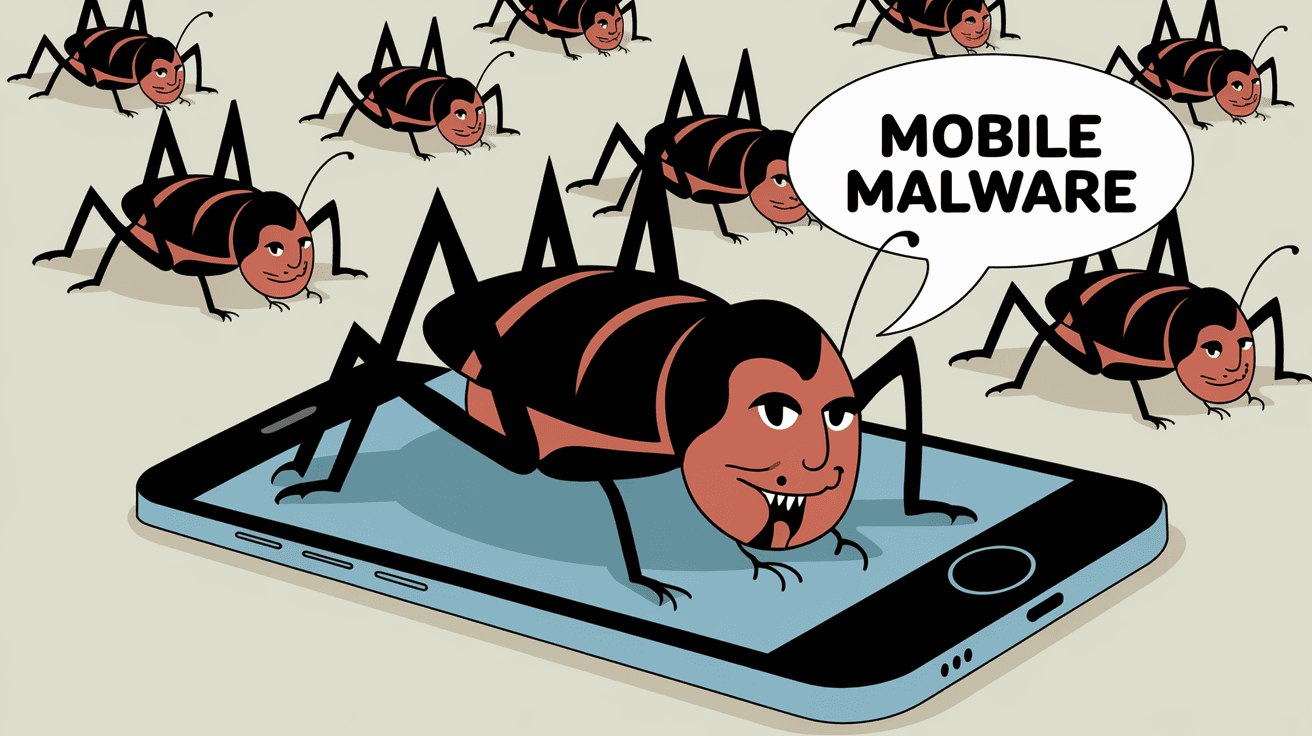
You probably use your smartphone every day for everything from chatting to banking. But have you ever wondered what mobile malware is and how it could affect your device? Mobile malware is a type of harmful software designed to attack your phone or tablet, stealing your data or causing damage.
In this article, I’ll explain what mobile malware really means, how it spreads, and what you can do to keep your device safe. Understanding these threats helps you stay one step ahead and protect your personal information.
What Is Mobile Malware?
Mobile malware is malicious software created specifically to target mobile devices like smartphones and tablets. Unlike regular computer viruses, mobile malware is designed to exploit the unique features and vulnerabilities of mobile operating systems such as Android and iOS.
Types of Mobile Malware
Here are some common types of mobile malware you should know about:
- Trojan Horses: Apps that look harmless but contain hidden malicious code.
- Spyware: Software that secretly monitors your activities and steals data.
- Ransomware: Locks your device or data until you pay a ransom.
- Adware: Displays unwanted ads and can slow down your device.
- Worms: Self-replicating malware that spreads across devices without user action.
Each type works differently but aims to compromise your device’s security or privacy.
How Does Mobile Malware Spread?
Mobile malware can reach your device in several ways. Understanding these methods helps you avoid risky behavior.
Common Infection Methods
- Malicious Apps: Downloading apps from unofficial stores or unknown sources.
- Phishing Links: Clicking on suspicious links in emails, texts, or social media.
- Fake Updates: Installing fake system or app updates that contain malware.
- Public Wi-Fi: Connecting to unsecured networks where hackers can intercept data.
- Bluetooth Attacks: Accepting unknown Bluetooth connections that transfer malware.
Being cautious about what you download and where you connect can reduce your risk.
Why Is Mobile Malware a Growing Threat?
Mobile malware is becoming more common because smartphones hold so much personal information. People use their phones for banking, shopping, and storing sensitive data, making them attractive targets.
Factors Driving the Rise of Mobile Malware
- Increased Smartphone Use: More devices mean more targets.
- App Store Vulnerabilities: Even official stores sometimes host malicious apps.
- Advanced Malware Techniques: Malware is evolving to bypass security measures.
- Lack of User Awareness: Many users don’t know how to spot threats.
- IoT Connections: Mobile devices connected to smart home gadgets increase attack surfaces.
This growth means you need to be extra careful with your mobile security.
Signs Your Phone Might Have Mobile Malware
You might not always know when your phone is infected. But some signs can alert you to a problem.
Common Symptoms of Mobile Malware Infection
- Slow Performance: Your phone suddenly becomes sluggish.
- Unusual Data Usage: Unexpected spikes in data consumption.
- Pop-up Ads: Frequent and intrusive ads appearing out of nowhere.
- Battery Drain: Battery life drops faster than usual.
- Unknown Apps: Apps you didn’t install show up on your device.
- Strange Messages: Friends receive odd texts from your number.
If you notice these signs, it’s time to scan your device for malware.
How to Protect Your Mobile Device from Malware
Protecting your phone from malware is easier than you think. Here are some practical steps you can take.
Best Practices for Mobile Security
- Download Apps Only from Official Stores: Stick to Google Play or Apple App Store.
- Keep Your Software Updated: Install updates promptly to patch security holes.
- Use Strong Passwords and Biometrics: Protect your device with PINs, fingerprints, or face recognition.
- Install Mobile Security Apps: Use trusted antivirus and anti-malware apps.
- Avoid Clicking Unknown Links: Be cautious with emails and messages from unknown senders.
- Turn Off Bluetooth and Wi-Fi When Not in Use: Reduce exposure to attacks.
- Backup Your Data Regularly: Keep copies of important files in case of infection.
Following these tips can greatly reduce your risk of infection.
What to Do If Your Phone Is Infected
If you suspect your phone has malware, act quickly to minimize damage.
Steps to Remove Mobile Malware
- Run a Full Scan: Use a reputable mobile security app to detect and remove malware.
- Uninstall Suspicious Apps: Delete any apps you don’t recognize or trust.
- Clear Cache and Data: Remove temporary files that might harbor malware.
- Reset Your Device: As a last resort, perform a factory reset to wipe everything.
- Change Your Passwords: Update passwords for your accounts, especially banking and email.
- Monitor Your Accounts: Watch for unusual activity on your financial and social media accounts.
Taking these actions helps you regain control and protect your information.
The Role of Mobile Operating Systems in Malware Protection
Both Android and iOS have built-in security features to fight malware, but they work differently.
Android vs. iOS Security
| Feature | Android | iOS |
| App Store Control | Google Play with some third-party stores | Apple App Store only |
| App Permissions | User-controlled, can be granular | Strict app sandboxing and permissions |
| Security Updates | Varies by manufacturer and carrier | Regular and timely updates for all devices |
| Malware Detection | Google Play Protect scans apps | App review process and system checks |
| Open vs. Closed System | More open, more vulnerable | Closed system, generally more secure |
Understanding these differences helps you choose the right security approach for your device.
The Future of Mobile Malware
As technology advances, so do the threats. Mobile malware is expected to become more sophisticated by 2026.
Emerging Trends in Mobile Malware
- AI-Powered Malware: Using artificial intelligence to evade detection.
- Targeted Attacks: Malware aimed at specific individuals or companies.
- Cross-Platform Threats: Malware that works on multiple device types.
- Increased Ransomware Attacks: More devices locked for ransom.
- Integration with IoT Devices: Malware spreading through connected gadgets.
Staying informed and updating your security habits is key to staying safe.
Conclusion
Mobile malware is a serious threat that can affect anyone using a smartphone or tablet. By understanding what it is, how it spreads, and how to protect yourself, you can keep your device and data safe. Remember, staying cautious about the apps you download and the links you click is your first line of defense.
You don’t have to be a tech expert to protect your phone. Simple steps like using official app stores, updating your software, and installing security apps make a big difference. Keep your device secure and enjoy the benefits of mobile technology without worry.
FAQs
What is the most common type of mobile malware?
The most common types are Trojan horses and spyware. Trojans disguise themselves as normal apps, while spyware secretly tracks your activities and steals data.
Can mobile malware affect iPhones?
Yes, although iPhones have strong security, they can still be affected by malware through phishing, malicious profiles, or jailbreaking vulnerabilities.
How can I tell if my phone has malware?
Look for slow performance, unusual data use, unexpected ads, battery drain, or unknown apps. These signs often indicate malware infection.
Is it safe to download apps from third-party stores?
No, third-party stores often lack strict security checks, increasing the risk of downloading malicious apps.
What should I do if I accidentally install malware?
Run a full scan with a trusted security app, uninstall suspicious apps, clear cache, and if needed, reset your device to factory settings. Change your passwords afterward.




