
What is MAC Flooding
Introduction
You might have heard about MAC flooding but wonder what it really means and why it matters for your network security. In simple terms, MAC flooding is a cyber attack that targets network switches to disrupt normal traffic flow. If you manage a network or just want to understand how hackers exploit vulnerabilities, this article will guide you through the basics and beyond.
We’ll explore what MAC flooding is, how attackers use it, and what you can do to protect your network. By the end, you’ll have a clear understanding of this attack and practical steps to keep your systems safe.
What is MAC Flooding?
MAC flooding is a type of network attack where an attacker overwhelms a network switch with fake MAC addresses. A MAC address is a unique identifier assigned to every device on a network. Switches use these addresses to direct data to the right device.
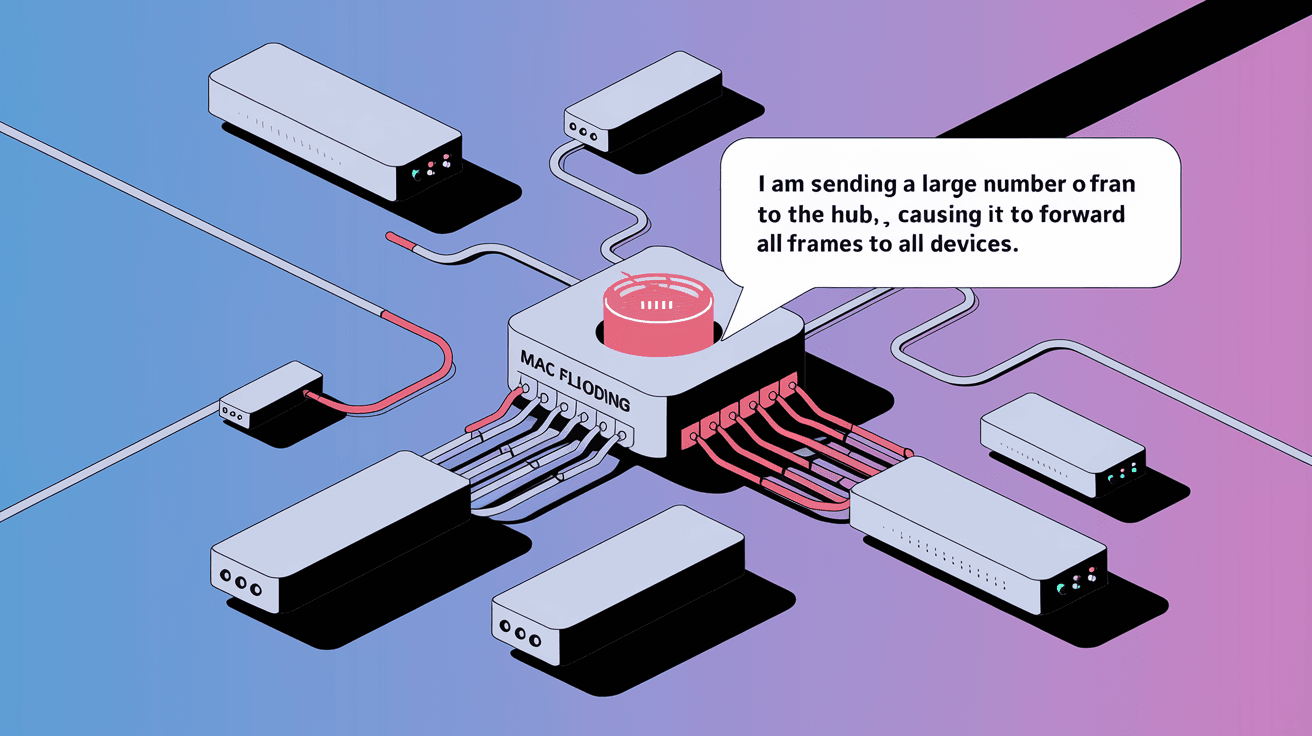
When a switch receives too many fake MAC addresses, its memory, called the MAC address table, fills up. This causes the switch to stop learning new addresses and behave like a hub, broadcasting all incoming traffic to every port. This behavior exposes sensitive data to attackers and can cause network slowdowns.
How MAC Flooding Works
- The attacker sends a large number of packets with fake source MAC addresses.
- The switch tries to store all these addresses in its MAC address table.
- Once the table is full, the switch enters a "fail-open" mode.
- In this mode, the switch broadcasts all traffic to every port.
- The attacker can then capture sensitive data from other devices.
This attack exploits the way switches manage their MAC address tables, turning a secure switch into a vulnerable hub.
Why is MAC Flooding a Threat?
MAC flooding poses several risks to network security and performance. Here’s why you should be concerned:
- Data Exposure: When the switch broadcasts traffic to all ports, attackers can sniff sensitive information like passwords, emails, or confidential files.
- Network Congestion: Broadcasting traffic to all devices increases network load, causing slowdowns or outages.
- Bypassing Security: Attackers can bypass network segmentation and access devices they shouldn’t.
- Denial of Service: Overloading the switch can disrupt normal network operations, affecting business continuity.
MAC flooding is often a stepping stone for more advanced attacks, such as man-in-the-middle attacks or session hijacking.
How to Detect MAC Flooding Attacks
Detecting MAC flooding early can save your network from serious damage. Here are some signs and tools to watch for:
- Unusual Network Traffic: Sudden spikes in broadcast traffic or unknown MAC addresses.
- Switch Logs: Many managed switches log MAC address table overflows or errors.
- Performance Issues: Slow network response or frequent disconnections.
- Security Tools: Network monitoring software can alert you to abnormal MAC address activity.
Regularly reviewing switch logs and using intrusion detection systems (IDS) can help spot MAC flooding attempts before they cause harm.
Preventing MAC Flooding Attacks
Protecting your network from MAC flooding involves a mix of configuration changes and security best practices. Here are effective methods:
1. Enable Port Security
Port security limits the number of MAC addresses that can connect to a switch port. If the limit is exceeded, the switch can block or shut down the port.
- Set a maximum number of MAC addresses per port.
- Configure actions like shutting down the port or sending alerts.
- Use sticky MAC addresses to remember authorized devices.
2. Use VLAN Segmentation
Virtual LANs (VLANs) separate network traffic into smaller segments. This limits the spread of broadcast traffic and isolates devices.
- Create VLANs based on departments or device types.
- Restrict communication between VLANs with firewalls.
- Reduce the impact of MAC flooding to a single VLAN.
3. Implement Dynamic ARP Inspection (DAI)
DAI validates ARP packets to prevent spoofing attacks that often accompany MAC flooding.
- Enable DAI on switches to check ARP requests and replies.
- Block invalid ARP packets from untrusted sources.
4. Monitor Network Traffic
Continuous monitoring helps detect unusual activity early.
- Use network monitoring tools like Wireshark or SolarWinds.
- Set alerts for MAC address table overflows.
- Regularly audit switch configurations and logs.
5. Update Switch Firmware
Manufacturers release updates that fix security vulnerabilities.
- Keep switch firmware up to date.
- Apply patches promptly to protect against known exploits.
Real-World Examples of MAC Flooding Attacks
MAC flooding has been used in various cyber attacks targeting corporate and public networks. Here are some examples:
- Corporate Espionage: Attackers flooded switches in a company’s network to capture sensitive emails and documents.
- Public Wi-Fi Exploits: Hackers used MAC flooding on public hotspots to intercept user credentials.
- Data Center Attacks: Flooding switches in data centers caused network outages and data leaks.
These cases highlight the importance of securing your network against MAC flooding.
How MAC Flooding Fits into Larger Cybersecurity Strategies
MAC flooding is just one of many threats networks face. Integrating its prevention into your overall cybersecurity plan is crucial.
- Combine MAC flooding defenses with firewalls, antivirus, and encryption.
- Train staff to recognize suspicious network behavior.
- Conduct regular security audits and penetration tests.
- Use layered security to reduce the risk of successful attacks.
By addressing MAC flooding alongside other threats, you build a stronger, more resilient network.
Conclusion
Understanding what MAC flooding is and how it works is essential for anyone managing or using a network. This attack exploits switch vulnerabilities to expose sensitive data and disrupt network operations. But with the right tools and strategies, you can protect your network effectively.
By enabling port security, segmenting your network, monitoring traffic, and keeping your devices updated, you reduce the risk of MAC flooding attacks. Staying informed and proactive helps you maintain a secure and reliable network environment.
FAQs
What devices are vulnerable to MAC flooding?
Network switches are the primary devices vulnerable to MAC flooding. Older or unmanaged switches without security features are especially at risk.
Can MAC flooding be performed remotely?
MAC flooding usually requires access to the local network. However, attackers can gain remote access through compromised devices to launch the attack.
How does port security stop MAC flooding?
Port security limits the number of MAC addresses on a port. When the limit is exceeded, the switch blocks new addresses, preventing flooding.
Is MAC flooding the same as MAC spoofing?
No. MAC flooding overwhelms the switch with fake addresses, while MAC spoofing involves impersonating a legitimate MAC address.
Are all switches vulnerable to MAC flooding?
Not all. Managed switches with security features like port security and VLANs are less vulnerable than basic unmanaged switches.




