
What is LAN Security
Introduction
When you think about your home or office network, you’re dealing with a Local Area Network, or LAN. LAN security is all about protecting this network from threats that could harm your devices or steal your data. You might not realize it, but your LAN is a prime target for hackers and malware if it’s not properly secured.
In this article, I’ll walk you through what LAN security means, why it’s important, and practical steps you can take to keep your network safe. Whether you’re managing a small office or your home Wi-Fi, understanding LAN security helps you stay one step ahead of cyber threats.
What is LAN Security?
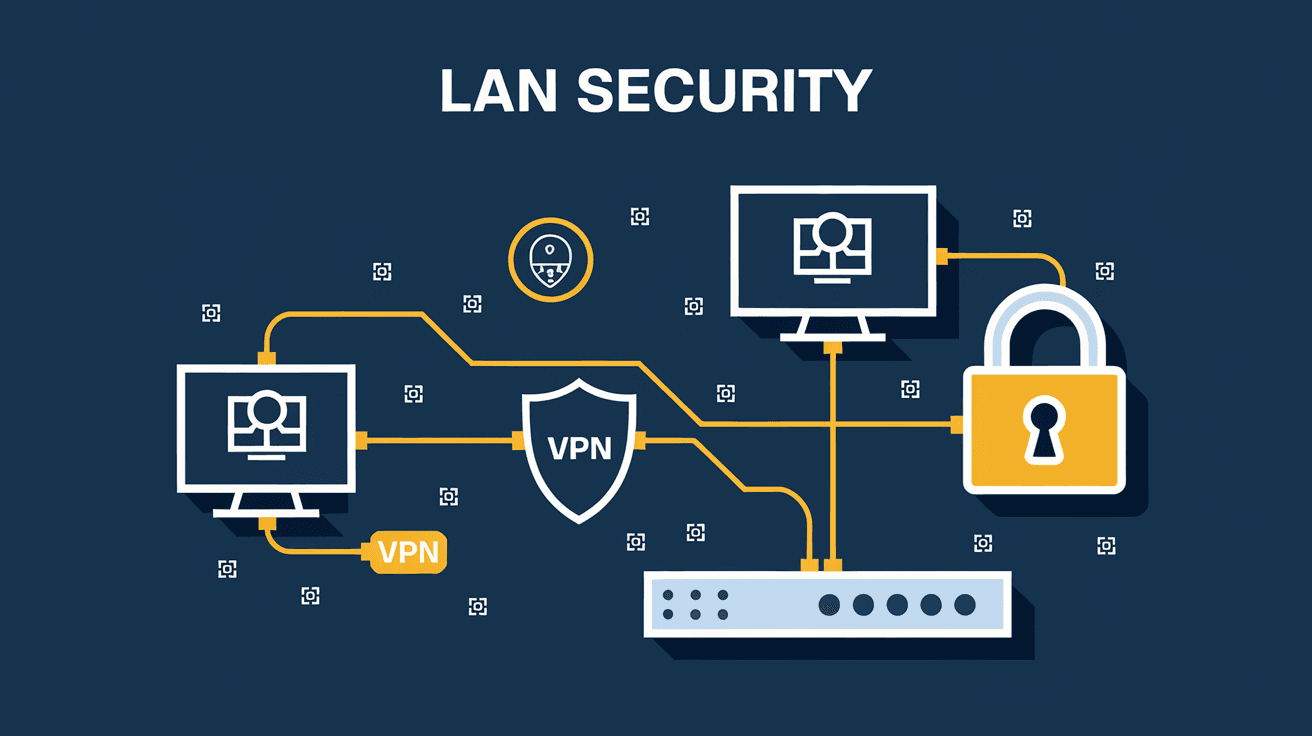
LAN security refers to the measures and protocols used to protect a Local Area Network from unauthorized access, misuse, or attacks. A LAN connects computers and devices within a limited area like a home, office, or building. Because these networks often share sensitive information, securing them is crucial.
Key Aspects of LAN Security
- Access Control: Ensuring only authorized users and devices can connect.
- Data Protection: Encrypting data to prevent interception.
- Threat Detection: Identifying and responding to malicious activities.
- Network Monitoring: Keeping an eye on traffic for unusual behavior.
By implementing these aspects, you create a safer environment for your data and devices.
Why is LAN Security Important?
LANs are the backbone of many businesses and homes. Without proper security, your network is vulnerable to:
- Data Breaches: Hackers can steal sensitive information like passwords or financial data.
- Malware Spread: Viruses can quickly move across devices connected to the same LAN.
- Unauthorized Access: Intruders can use your network to launch attacks or access private files.
- Service Disruption: Attacks like Denial of Service (DoS) can slow down or crash your network.
In 2025, cyber threats continue to evolve, making LAN security more critical than ever. Protecting your LAN helps maintain privacy, ensures smooth operations, and prevents costly damages.
Common LAN Security Threats
Understanding the threats helps you prepare better defenses. Here are some common risks to your LAN:
- Unauthorized Access: When someone connects without permission.
- Man-in-the-Middle Attacks: Intercepting communication between devices.
- Malware and Ransomware: Malicious software that damages or locks your data.
- Phishing Attacks: Tricking users into revealing sensitive info.
- Network Sniffing: Capturing data packets traveling through the network.
Each threat requires specific security measures to counter effectively.
How to Secure Your LAN
Securing your LAN involves a combination of hardware, software, and best practices. Here’s how you can protect your network:
1. Use Strong Passwords and Authentication
- Change default router passwords immediately.
- Use complex passwords with letters, numbers, and symbols.
- Enable multi-factor authentication (MFA) where possible.
2. Enable Network Encryption
- Use WPA3 encryption for Wi-Fi networks.
- Encrypt sensitive data transmitted over the LAN.
3. Implement Access Controls
- Set up MAC address filtering to allow only known devices.
- Create separate guest networks for visitors.
- Limit user permissions based on roles.
4. Keep Firmware and Software Updated
- Regularly update your router’s firmware.
- Patch operating systems and applications on connected devices.
5. Use Firewalls and Antivirus Software
- Activate built-in firewalls on routers and computers.
- Install reputable antivirus and anti-malware tools.
6. Monitor Network Traffic
- Use network monitoring tools to detect unusual activity.
- Set alerts for unauthorized access attempts.
7. Segment Your Network
- Divide your LAN into smaller subnetworks.
- Isolate sensitive devices from general access.
Tools and Technologies for LAN Security
Several tools help you maintain a secure LAN environment:
| Tool Type | Purpose | Examples |
| Firewalls | Block unauthorized traffic | Cisco ASA, pfSense |
| Intrusion Detection | Detect suspicious network activity | Snort, Suricata |
| Network Monitoring | Track and analyze network traffic | Wireshark, SolarWinds |
| VPNs | Secure remote access to the LAN | OpenVPN, NordVPN |
| Antivirus Software | Protect devices from malware | Norton, Bitdefender |
Using these tools together strengthens your LAN’s defenses.
Best Practices for LAN Security in 2025
As cyber threats evolve, so should your security approach. Here are some up-to-date best practices:
- Regular Security Audits: Periodically review your network’s security settings.
- User Training: Educate users about phishing and safe internet habits.
- Zero Trust Model: Assume no device or user is trustworthy by default.
- Backup Data: Keep regular backups to recover from ransomware attacks.
- Use Secure Protocols: Prefer HTTPS, SSH, and other secure communication methods.
Following these practices helps you stay proactive against emerging threats.
Challenges in LAN Security
Despite best efforts, LAN security faces challenges:
- Complexity: Managing multiple devices and users can be complicated.
- Insider Threats: Employees or family members may unintentionally cause breaches.
- IoT Devices: Smart devices often have weak security and can be entry points.
- Cost: Advanced security tools and training can be expensive.
Being aware of these challenges helps you plan realistic and effective security strategies.
Future Trends in LAN Security
Looking ahead, LAN security is evolving with technology:
- AI-Powered Security: Artificial intelligence will detect threats faster and more accurately.
- Automated Response: Networks will automatically isolate compromised devices.
- Enhanced Encryption: New encryption standards will protect data better.
- Integration with Cloud Security: LANs will work closely with cloud platforms for unified protection.
Staying informed about these trends ensures your LAN remains secure in the future.
Conclusion
LAN security is essential for protecting your local network from cyber threats. By understanding what LAN security involves and why it matters, you can take practical steps to safeguard your devices and data. From strong passwords to network segmentation, each measure adds a layer of defense.
As technology advances, staying updated on best practices and tools will keep your LAN secure. Whether at home or work, investing time and effort into LAN security protects your privacy and ensures your network runs smoothly.
FAQs
What is the difference between LAN security and network security?
LAN security focuses specifically on protecting local area networks within a limited area, while network security covers all types of networks, including wide area networks (WANs) and the internet.
How often should I update my router’s firmware?
You should check for router firmware updates at least once every three months or whenever the manufacturer releases a new update to fix vulnerabilities.
Can I secure my LAN without professional help?
Yes, many LAN security steps like changing passwords, enabling encryption, and updating software can be done by users without professional assistance.
What is MAC address filtering in LAN security?
MAC address filtering allows only devices with specific hardware addresses to connect to your network, adding an extra layer of access control.
Are public Wi-Fi networks safe for accessing my LAN remotely?
Public Wi-Fi networks are generally not secure. Using a VPN is recommended to safely access your LAN remotely over public Wi-Fi.




