
What is IPSec Tunnel
Introduction
You might have heard about IPSec tunnels when dealing with internet security or virtual private networks (VPNs). But what exactly is an IPSec tunnel, and why is it important for protecting your data online? In this article, I’ll explain everything you need to know about IPSec tunnels in simple terms.
We’ll explore how IPSec tunnels work, their main features, and why businesses and individuals use them to keep their information safe. By the end, you’ll understand how this technology helps secure your online connections and why it’s a key part of modern internet security.
What is an IPSec Tunnel?
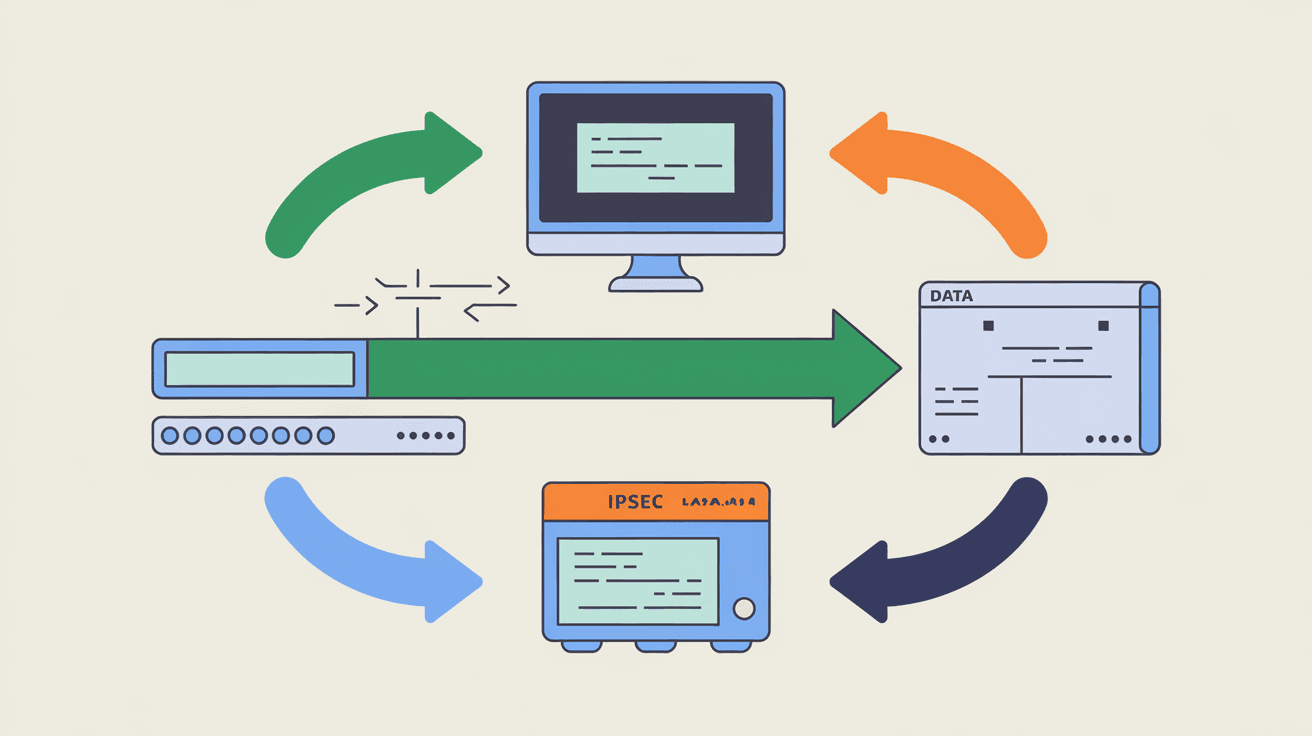
An IPSec tunnel is a secure connection between two networks or devices over the internet. IPSec stands for Internet Protocol Security, which is a set of protocols designed to protect data as it travels across public networks. The "tunnel" part means that the data is wrapped inside a secure, encrypted pathway, making it hard for outsiders to see or change the information.
This tunnel creates a private link, even though the data is moving through a public network like the internet. It’s like sending a letter inside a locked box that only the sender and receiver can open.
How IPSec Tunnel Works
IPSec tunnels work by using two main protocols:
- Authentication Header (AH): This checks that the data comes from a trusted source and hasn’t been tampered with.
- Encapsulating Security Payload (ESP): This encrypts the data so no one else can read it.
When you send data through an IPSec tunnel, it goes through these steps:
- Negotiation: The two devices agree on how to secure the connection using a process called IKE (Internet Key Exchange).
- Encryption: Data is encrypted and wrapped inside the IPSec tunnel.
- Transmission: The encrypted data travels safely over the internet.
- Decryption: The receiving device unwraps and decrypts the data.
This process ensures your information stays private and secure.
Why Use an IPSec Tunnel?
You might wonder why IPSec tunnels are so popular. Here are some reasons:
- Security: IPSec tunnels encrypt data, protecting it from hackers and spies.
- Privacy: Your online activities stay hidden from outsiders.
- Integrity: Data cannot be altered without detection.
- Authentication: Only trusted devices can connect.
- Compatibility: Works with many devices and networks.
Businesses use IPSec tunnels to connect remote offices or allow employees to access company resources safely from home. You can also use IPSec tunnels in VPNs to protect your personal internet connection.
Types of IPSec Tunnels
There are two main types of IPSec tunnels:
Site-to-Site Tunnel
This connects two separate networks, like two office locations. It creates a secure link so both offices can share data safely over the internet.
- Connects entire networks.
- Used by businesses with multiple offices.
- Keeps communication private and secure.
Remote Access Tunnel
This connects a single device, like your laptop or smartphone, to a network. It’s common for remote workers who need to access their company’s resources securely.
- Connects individual users to a network.
- Used in VPNs for remote work.
- Protects data on public Wi-Fi.
Benefits of Using IPSec Tunnels
Using IPSec tunnels offers many advantages:
- Strong Encryption: Uses advanced algorithms to keep data safe.
- Flexibility: Works on many platforms and devices.
- Cost-Effective: Uses the internet instead of expensive private lines.
- Scalability: Easy to add more users or sites.
- Standards-Based: Supported by most network equipment.
These benefits make IPSec tunnels a reliable choice for secure communication.
How to Set Up an IPSec Tunnel
Setting up an IPSec tunnel involves several steps. Here’s a simple overview:
- Choose Devices: Select routers, firewalls, or VPN gateways that support IPSec.
- Configure Settings: Set IP addresses, encryption methods, and authentication keys.
- Establish Connection: Use IKE to negotiate security parameters.
- Test Tunnel: Verify that data flows securely between endpoints.
- Monitor: Keep an eye on the tunnel’s performance and security.
Many devices offer user-friendly interfaces to help with setup, but sometimes you may need expert help.
Common Use Cases for IPSec Tunnels
IPSec tunnels are used in many scenarios, including:
- Corporate VPNs: Secure remote access for employees.
- Connecting Branch Offices: Linking multiple company locations.
- Cloud Security: Protecting data between on-premises and cloud services.
- Government Networks: Ensuring secure communication for sensitive information.
- Internet of Things (IoT): Securing device communication.
These examples show how versatile IPSec tunnels are in protecting data.
IPSec Tunnel vs. Other VPN Protocols
There are other VPN protocols like SSL/TLS, OpenVPN, and WireGuard. Here’s how IPSec compares:
| Feature | IPSec Tunnel | SSL/TLS VPN | WireGuard |
| Encryption | Strong, supports AH & ESP | Strong, mainly SSL/TLS | Strong, modern crypto |
| Use Case | Site-to-site & remote access | Remote access mostly | Remote access mostly |
| Performance | Moderate | Moderate | High |
| Compatibility | Widely supported | Widely supported | Growing support |
| Complexity | More complex setup | Easier setup | Simple setup |
IPSec is often preferred for site-to-site connections and strong security needs.
Troubleshooting IPSec Tunnel Issues
Sometimes IPSec tunnels can face problems. Here are common issues and fixes:
- Connection Failures: Check IP addresses and authentication keys.
- Slow Performance: Optimize encryption settings or check network speed.
- Dropped Connections: Ensure stable internet and update firmware.
- Compatibility Issues: Verify device support and software versions.
Regular monitoring helps catch problems early.
Future of IPSec Tunnels
IPSec tunnels continue to evolve with new security standards and faster encryption methods. As cyber threats grow, IPSec remains a trusted way to protect data. Integration with cloud services and IoT devices is increasing, making IPSec tunnels even more important.
Advances in automation and AI may simplify tunnel management, making secure connections easier for everyone.
Conclusion
Now you know that an IPSec tunnel is a secure, encrypted connection that protects your data over the internet. Whether you’re a business connecting offices or an individual using a VPN, IPSec tunnels keep your information private and safe.
Understanding how IPSec tunnels work and their benefits helps you make better decisions about internet security. As online threats grow, using technologies like IPSec tunnels is essential to protect your digital life.
FAQs
What does IPSec stand for?
IPSec stands for Internet Protocol Security. It’s a set of protocols that secure internet communications by encrypting and authenticating data.
Can IPSec tunnels be used on mobile devices?
Yes, many mobile devices support IPSec tunnels, allowing secure VPN connections for remote access.
Is IPSec better than other VPN protocols?
IPSec is strong and widely supported, especially for site-to-site connections. Other protocols like WireGuard may offer better speed but less compatibility.
How secure is an IPSec tunnel?
IPSec tunnels use strong encryption and authentication, making them very secure against eavesdropping and tampering.
Do I need special hardware for IPSec tunnels?
You can use routers, firewalls, or VPN gateways that support IPSec. Many modern devices have built-in support, so special hardware isn’t always necessary.




