
What is IAM Policy (Identity Access Management)
Introduction
When you think about keeping your digital information safe, controlling who can access what is key. That’s where IAM policies come in. IAM stands for Identity and Access Management, and IAM policies are the rules that decide who gets access to your systems and data.
In this article, I’ll explain what an IAM policy is, why it matters, and how it works. You’ll get a clear picture of how these policies help protect your organization’s resources and keep everything running smoothly.
What is IAM Policy?
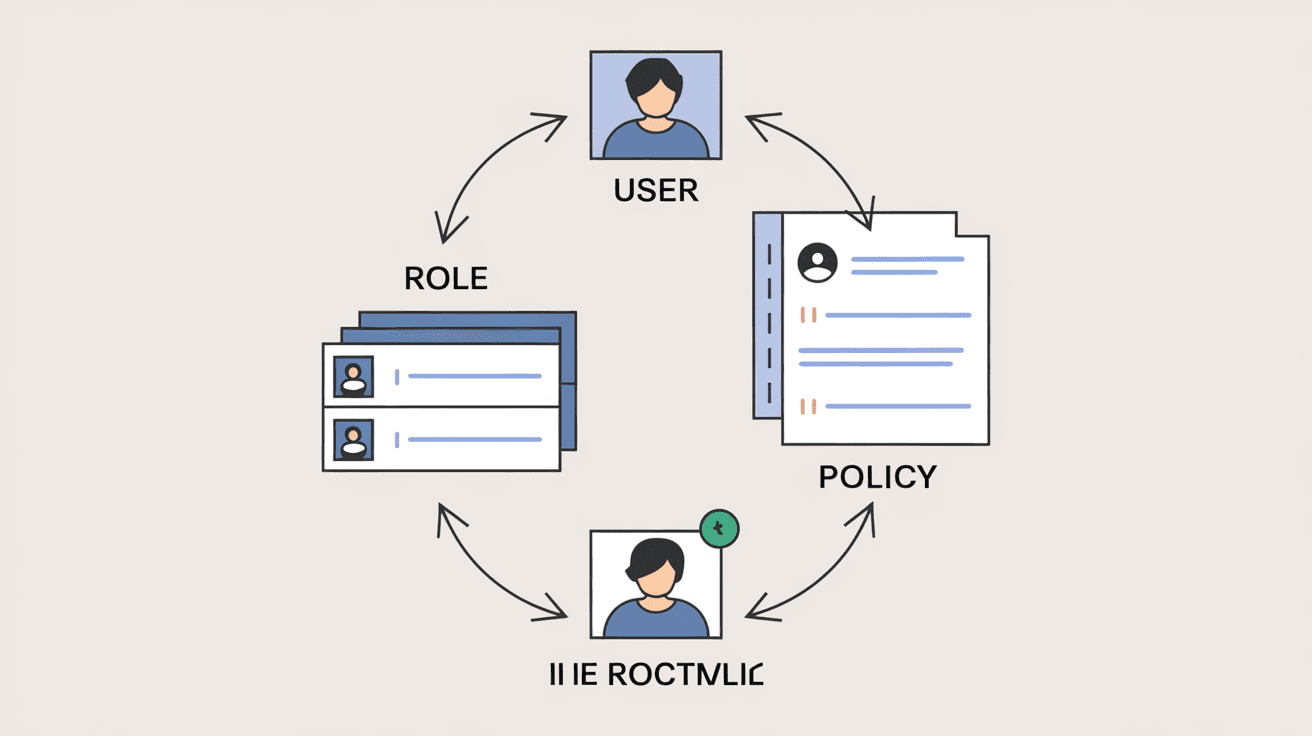
IAM policy is a set of rules that define permissions for users, groups, or roles within an organization. These policies control what actions someone can perform on specific resources, like files, databases, or cloud services.
Think of an IAM policy as a permission slip. It tells the system, “This user can read this file,” or “This group can launch virtual machines.” Without these policies, anyone could access anything, which would be a big security risk.
Key Components of IAM Policy
- Subjects: The users, groups, or roles the policy applies to.
- Actions: The operations allowed or denied, such as read, write, or delete.
- Resources: The specific systems or data the policy controls.
- Conditions: Optional rules that add extra limits, like time of day or IP address.
IAM policies are essential for enforcing security and ensuring only authorized people can access sensitive information.
How IAM Policies Work
IAM policies work by evaluating requests to access resources. When you try to do something, the system checks the policies attached to your identity. If the policy allows the action on the resource, you get access. If not, access is denied.
This process happens instantly and behind the scenes. It’s like a security guard checking your ID before letting you into a building.
Types of IAM Policies
- Managed Policies: Predefined policies created by cloud providers or administrators that can be reused.
- Inline Policies: Custom policies attached directly to a single user, group, or role.
- Resource-Based Policies: Policies attached directly to resources, specifying who can access them.
Using these types, organizations can build flexible and secure access controls.
Why IAM Policies are Important
IAM policies help organizations protect their data and systems from unauthorized access. They reduce the risk of data breaches, insider threats, and accidental mistakes.
Here’s why they matter:
- Security: Only authorized users can access sensitive resources.
- Compliance: Many industries require strict access controls to meet regulations.
- Efficiency: Automate access management instead of handling permissions manually.
- Auditability: Track who accessed what and when for accountability.
Without IAM policies, organizations would struggle to keep their digital environments safe and compliant.
Examples of IAM Policy Use Cases
IAM policies are used in many scenarios to control access securely. Here are some common examples:
- Cloud Platforms: AWS, Azure, and Google Cloud use IAM policies to manage access to services like storage buckets, databases, and compute instances.
- Enterprise Systems: Companies use IAM policies to control employee access to internal applications and data.
- Third-Party Access: Granting limited access to contractors or partners without exposing everything.
- Role-Based Access Control (RBAC): Assigning permissions based on job roles, like “HR can view employee records” but “Finance can edit budgets.”
These examples show how IAM policies help balance security with usability.
How to Create an Effective IAM Policy
Creating a good IAM policy requires careful planning and understanding of your organization’s needs. Here are steps to follow:
- Identify Resources: List all systems and data that need protection.
- Define Roles: Group users by their job functions or access needs.
- Set Permissions: Decide what actions each role should be allowed.
- Apply the Principle of Least Privilege: Give users only the access they need, nothing more.
- Use Conditions: Add extra rules like time restrictions or IP filters if needed.
- Test Policies: Verify that policies work as expected without blocking legitimate access.
- Review Regularly: Update policies as roles or resources change.
Following these steps helps ensure your IAM policies are both secure and practical.
Common Challenges with IAM Policies
Managing IAM policies can be tricky. Here are some common challenges organizations face:
- Complexity: Large organizations have many users and resources, making policies complicated.
- Over-Permissioning: Giving users more access than necessary increases risk.
- Policy Conflicts: Multiple policies might contradict each other, causing confusion.
- Lack of Visibility: Not knowing who has access to what can lead to security gaps.
- Maintenance: Keeping policies up to date as people join, leave, or change roles.
Addressing these challenges requires good tools, clear processes, and regular audits.
Tools and Technologies for IAM Policy Management
Many tools help organizations create, manage, and monitor IAM policies effectively. Some popular options include:
- Cloud Provider IAM Services: AWS IAM, Azure Active Directory, Google Cloud IAM.
- Identity Governance Platforms: Tools like Okta, SailPoint, and OneLogin offer advanced access management features.
- Policy Simulators: Allow testing policies before applying them.
- Audit and Reporting Tools: Track access and policy changes for compliance.
Using the right tools makes managing IAM policies easier and more reliable.
Best Practices for IAM Policy Security
To keep your IAM policies strong, follow these best practices:
- Use Multi-Factor Authentication (MFA): Adds an extra layer of security.
- Regularly Review Access: Remove permissions for users who no longer need them.
- Implement Role-Based Access Control: Simplifies permission management.
- Monitor Access Logs: Detect unusual or unauthorized activity.
- Educate Users: Train employees on security and access policies.
These steps help maintain a secure and well-managed access environment.
Conclusion
IAM policies are the backbone of secure access management. They define who can do what, where, and when in your digital environment. By using IAM policies, you protect your data, meet compliance requirements, and keep your systems running smoothly.
Understanding how IAM policies work and following best practices will help you build a strong security foundation. Whether you manage a small team or a large enterprise, IAM policies are essential for controlling access and reducing risks.
FAQs
What is the difference between IAM policy and IAM role?
An IAM policy is a set of permissions, while an IAM role is an identity with specific permissions assigned via policies. Roles can be assumed by users or services to gain temporary access.
Can IAM policies be applied to groups?
Yes, IAM policies can be attached to groups, allowing all members to inherit the permissions defined in the policy.
How does the principle of least privilege relate to IAM policies?
It means giving users only the minimum permissions they need to perform their tasks, reducing the risk of accidental or malicious access.
Are IAM policies only used in cloud environments?
No, IAM policies are used in both cloud and on-premises systems to manage access securely.
How often should IAM policies be reviewed?
IAM policies should be reviewed regularly, at least quarterly, or whenever there are changes in roles, resources, or security requirements.




