
What is Endpoint Hardening
Introduction
When you think about protecting your computer or smartphone, you might wonder how to make them safer from hackers. That’s where endpoint hardening comes in. It’s a way to strengthen your devices so they are less likely to be attacked or infected by malware.
In this article, I’ll explain what endpoint hardening means, why it’s important, and how you can apply it to your devices. Whether you’re managing a business network or just want to keep your personal gadgets secure, understanding endpoint hardening will help you stay safe online.
What is Endpoint Hardening?
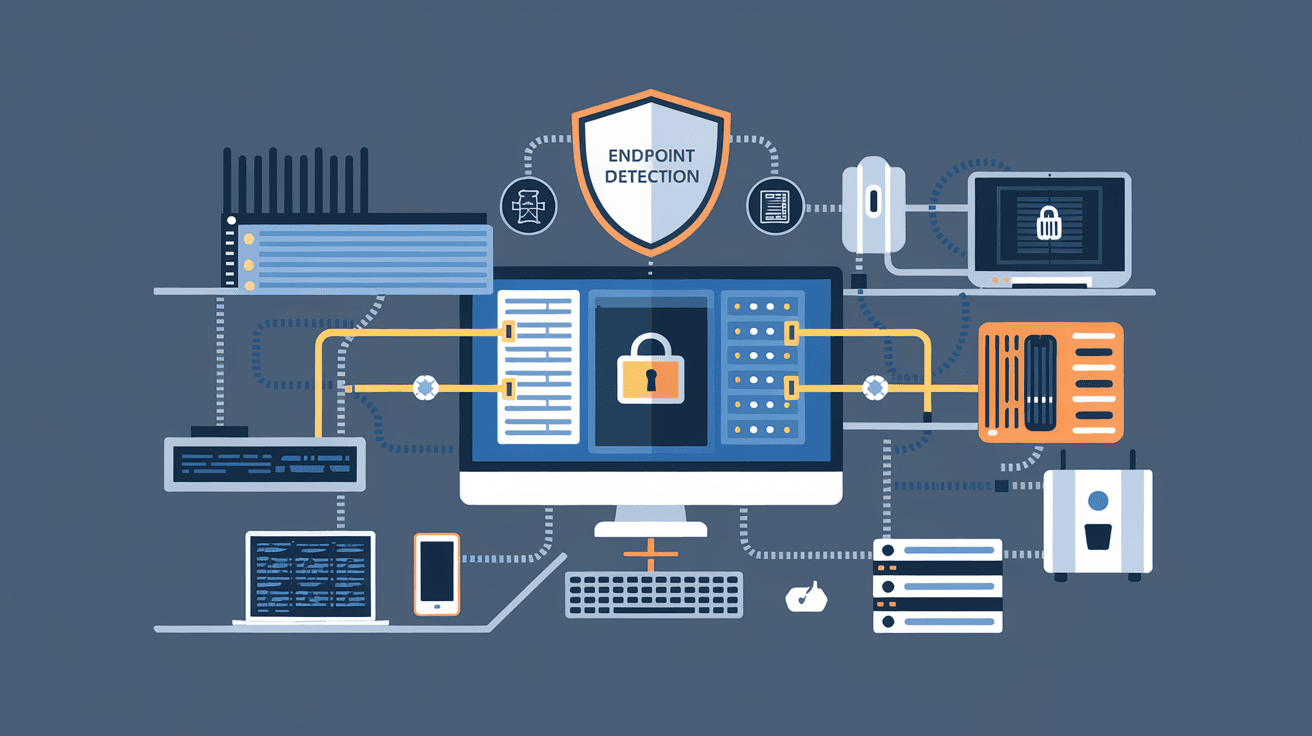
Endpoint hardening is the process of securing endpoints—like laptops, desktops, mobile phones, and tablets—by reducing their vulnerabilities. Endpoints are the devices that connect to a network, and they can be entry points for cyber attackers if not properly protected.
Hardening involves applying security measures that make it harder for attackers to exploit weaknesses. This can include configuring settings, installing security software, and removing unnecessary features that might be risky.
Why Endpoints Need Hardening
- Endpoints are common targets for cyberattacks.
- They often have sensitive data or access to company networks.
- Unsecured endpoints can spread malware or allow unauthorized access.
- Attackers exploit outdated software or weak configurations.
By hardening endpoints, you reduce the chances of breaches and protect your data and systems.
Key Steps in Endpoint Hardening
Endpoint hardening is not a one-step process. It involves several actions that work together to improve security. Here are the main steps you should consider:
1. Keep Software Updated
- Regularly install patches and updates for operating systems and applications.
- Updates fix known security flaws that attackers exploit.
- Use automated tools to manage updates efficiently.
2. Use Strong Authentication
- Implement multi-factor authentication (MFA) to add extra security layers.
- Avoid default or weak passwords; use complex, unique passwords.
- Consider biometric options like fingerprint or facial recognition.
3. Configure Security Settings
- Disable unnecessary services and ports to reduce attack surfaces.
- Set strict user permissions to limit access to sensitive data.
- Enable firewalls and intrusion detection systems.
4. Install Endpoint Protection Software
- Use antivirus and anti-malware tools to detect and block threats.
- Employ endpoint detection and response (EDR) solutions for real-time monitoring.
- Regularly scan devices for vulnerabilities.
5. Encrypt Data
- Encrypt sensitive files and communications to prevent unauthorized access.
- Use full disk encryption on laptops and mobile devices.
- Secure data in transit with VPNs or secure protocols.
6. Remove Unnecessary Applications
- Uninstall software that is not needed to reduce vulnerabilities.
- Avoid installing untrusted or unknown applications.
- Regularly audit installed software.
Benefits of Endpoint Hardening
Hardening your endpoints brings several advantages that improve your overall security posture.
- Reduced Risk of Breaches: Fewer vulnerabilities mean attackers have less chance to succeed.
- Improved Compliance: Many regulations require endpoint security measures.
- Better Performance: Removing unnecessary software can speed up devices.
- Enhanced Data Protection: Encryption and access controls keep data safe.
- Faster Incident Response: Tools like EDR help detect and respond to threats quickly.
Common Challenges in Endpoint Hardening
While endpoint hardening is essential, it can be challenging to implement effectively.
Complexity of Devices
- Different devices and operating systems require tailored security measures.
- Managing a variety of endpoints can be time-consuming.
User Behavior
- Users may disable security features or use weak passwords.
- Training and awareness are necessary to maintain security.
Balancing Security and Usability
- Overly strict settings can hinder productivity.
- Finding the right balance is key to successful hardening.
Endpoint Hardening in Business Environments
For businesses, endpoint hardening is a critical part of cybersecurity strategy. With many devices accessing corporate networks, each endpoint is a potential entry point for attackers.
Best Practices for Businesses
- Use centralized management tools to enforce security policies.
- Regularly audit endpoints for compliance.
- Provide employee training on security awareness.
- Implement network segmentation to limit damage from compromised endpoints.
- Use cloud-based security solutions for scalability.
The Role of Endpoint Detection and Response (EDR)
EDR tools are becoming a vital part of endpoint hardening. They provide continuous monitoring and analysis of endpoint activities to detect suspicious behavior.
How EDR Enhances Hardening
- Detects threats that traditional antivirus might miss.
- Provides detailed alerts and forensic data.
- Enables quick response to contain and remediate attacks.
- Supports automated threat hunting and investigation.
Future Trends in Endpoint Hardening
As cyber threats evolve, endpoint hardening strategies must adapt. Here are some trends shaping the future:
- AI and Machine Learning: Used to detect anomalies and predict attacks.
- Zero Trust Security: Assumes no device is trusted by default, requiring continuous verification.
- Integration with Cloud Security: Protecting endpoints that access cloud services.
- Increased Focus on Mobile Devices: Securing smartphones and tablets as they become more common in workplaces.
How You Can Start Hardening Your Endpoints Today
You don’t need to be an expert to begin hardening your devices. Here are simple steps you can take right now:
- Update your operating system and apps regularly.
- Use strong, unique passwords and enable MFA.
- Install reputable antivirus software.
- Turn on your device’s firewall.
- Avoid clicking on suspicious links or downloading unknown files.
- Backup important data regularly.
Conclusion
Endpoint hardening is a crucial part of keeping your devices and data safe from cyber threats. By understanding what it involves and applying the right security measures, you can significantly reduce your risk of attacks. Whether you manage a business network or just want to protect your personal devices, endpoint hardening helps create a safer digital environment.
Remember, security is an ongoing process. Stay informed about new threats and update your defenses regularly. Taking these steps will give you peace of mind and protect your valuable information in today’s connected world.
FAQs
What devices are considered endpoints?
Endpoints include laptops, desktops, smartphones, tablets, and any device that connects to a network. These devices can be entry points for cyberattacks if not properly secured.
How often should I update my endpoint software?
You should update your software as soon as updates or patches are available. Many systems allow automatic updates to ensure you don’t miss critical security fixes.
What is multi-factor authentication (MFA)?
MFA requires users to provide two or more verification methods to access a device or system, such as a password plus a fingerprint or a code sent to your phone. It adds an extra layer of security.
Can endpoint hardening slow down my device?
If done correctly, endpoint hardening should not significantly affect performance. Removing unnecessary software can even improve speed. However, some security tools may use system resources.
Is endpoint hardening only for businesses?
No, endpoint hardening is important for anyone using connected devices. While businesses have more complex needs, individuals can also benefit from securing their personal devices.




