
What is Dictionary Attack
Introduction
You might have heard about dictionary attacks in the context of cybersecurity, but what exactly are they? If you’re curious about how hackers try to break into accounts or systems, understanding dictionary attacks is a great place to start. These attacks are one of the most common methods used to guess passwords and gain unauthorized access.
In this article, I’ll explain what a dictionary attack is, how it works, and why it’s still relevant today. You’ll also learn practical ways to protect yourself from falling victim to this type of attack. Let’s dive in and make sure your online accounts stay safe.
What Is a Dictionary Attack?
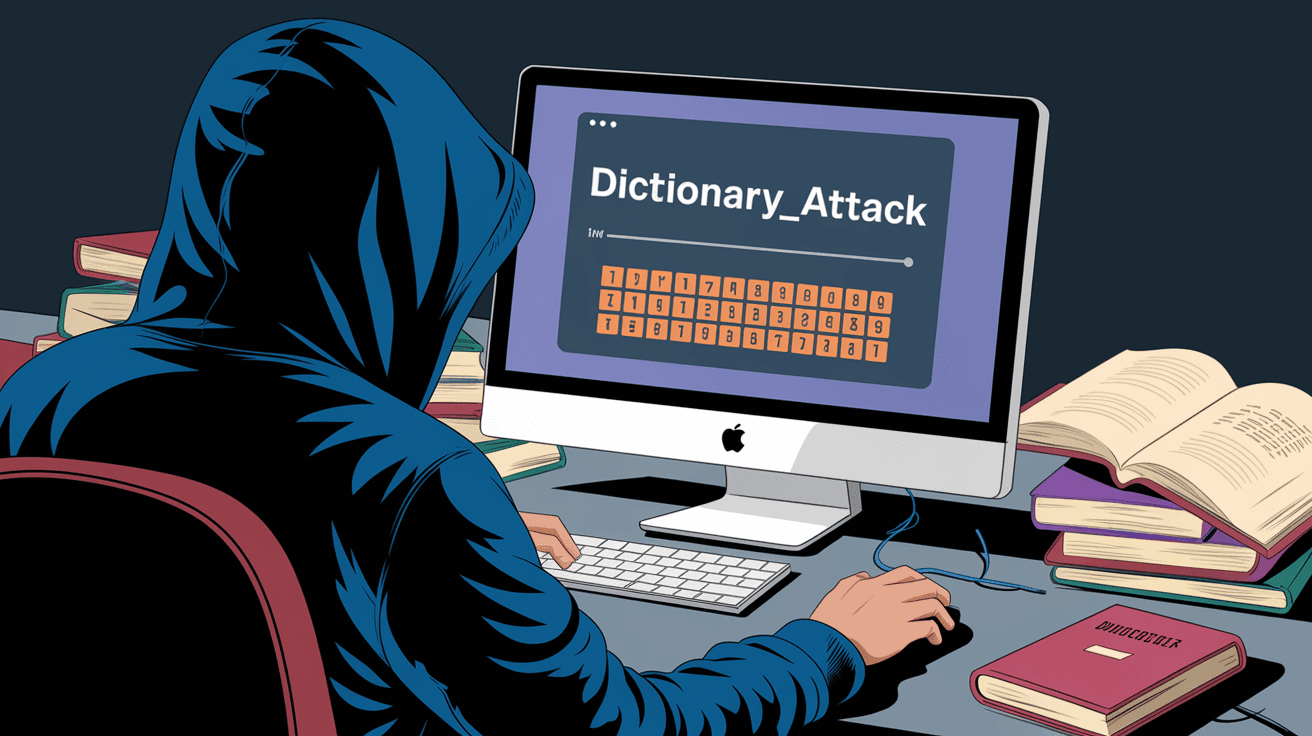
A dictionary attack is a type of cyberattack where an attacker tries to guess a password by systematically entering words from a pre-arranged list, called a “dictionary.” Unlike random guessing, this list contains common words, phrases, or passwords that people often use.
The idea is simple: many people choose weak or common passwords, so attackers use these lists to quickly find the right one. This method is faster than trying every possible combination of letters and numbers (known as a brute-force attack).
How Dictionary Attacks Work
- The attacker obtains a username or account to target.
- They use software to automatically try passwords from the dictionary list.
- The software enters each password until it finds the correct one or exhausts the list.
- If successful, the attacker gains access to the account.
These attacks can be done on websites, email accounts, or even encrypted files. The key is that the attacker relies on the likelihood that the password is a common word or phrase.
Why Are Dictionary Attacks Still Effective?
You might wonder why dictionary attacks still work when cybersecurity awareness is growing. The truth is, many people still use weak passwords or simple variations of common words. Here’s why dictionary attacks remain a threat:
- Weak Passwords: Many users choose easy-to-remember passwords like “password,” “123456,” or “qwerty.”
- Common Phrases: People often use names, birthdays, or simple words that appear in dictionaries.
- Password Reuse: Using the same password across multiple sites increases risk.
- Speed of Attack: Automated tools can try thousands of passwords per second.
- Lack of Account Lockout: Some systems don’t block repeated login attempts, allowing attackers to try many passwords.
Because of these reasons, dictionary attacks can still crack many passwords quickly, especially if you don’t use strong security measures.
Types of Dictionary Attacks
There are several variations of dictionary attacks, each with its own approach:
Basic Dictionary Attack
This is the simplest form, where the attacker uses a list of common words or passwords without any changes.
Hybrid Dictionary Attack
In this method, attackers modify dictionary words by adding numbers, symbols, or changing letter cases. For example, “password” might become “Password123!” or “p@ssw0rd.”
Reverse Dictionary Attack
Here, the attacker starts with the encrypted password (hash) and tries to match it by hashing dictionary words. This is common when attackers steal password databases.
Rainbow Table Attack
This is a more advanced form where attackers use precomputed tables of hashed passwords to speed up the cracking process. It’s related to dictionary attacks but focuses on hashes.
How to Protect Yourself from Dictionary Attacks
Protecting yourself from dictionary attacks is easier than you might think. Here are some practical tips:
Use Strong, Unique Passwords
- Combine uppercase and lowercase letters.
- Include numbers and special characters.
- Avoid common words or phrases.
- Use long passwords (at least 12 characters).
Enable Multi-Factor Authentication (MFA)
MFA adds an extra layer of security by requiring a second form of verification, like a text message code or authentication app.
Use a Password Manager
Password managers generate and store complex passwords for you, so you don’t have to remember them.
Avoid Password Reuse
Never use the same password across multiple accounts. If one account is compromised, others remain safe.
Update Software Regularly
Keep your devices and applications updated to protect against vulnerabilities that attackers might exploit.
Monitor Account Activity
Regularly check your accounts for suspicious activity and change passwords if you notice anything unusual.
Examples of Dictionary Attacks in Real Life
Dictionary attacks have been involved in many high-profile data breaches and hacking incidents. Here are a few examples:
- LinkedIn Breach: Attackers used dictionary attacks to crack millions of weak passwords after stealing hashed passwords.
- Yahoo Data Breach: Many accounts were compromised because users had simple passwords vulnerable to dictionary attacks.
- Corporate Network Attacks: Hackers often use dictionary attacks to gain access to company systems with weak employee passwords.
These examples show why it’s critical to use strong passwords and security measures.
How Organizations Defend Against Dictionary Attacks
Organizations use several strategies to protect their systems from dictionary attacks:
- Account Lockout Policies: Lock accounts after a few failed login attempts.
- CAPTCHA Systems: Prevent automated login attempts by requiring human verification.
- Password Complexity Requirements: Force users to create strong passwords.
- Hashing and Salting Passwords: Store passwords securely to make cracking harder.
- Security Awareness Training: Educate employees about password security.
These measures help reduce the risk of successful dictionary attacks on corporate systems.
The Role of Password Hashing in Dictionary Attacks
When you create a password, websites don’t store it as plain text. Instead, they use a process called hashing, which converts the password into a fixed string of characters. This makes it harder for attackers to see your actual password if they steal the database.
However, if attackers get the hashed passwords, they can use dictionary attacks by hashing dictionary words and comparing them to the stolen hashes. This is why websites use “salting” — adding random data to passwords before hashing — to make dictionary attacks much harder.
Future Trends in Dictionary Attacks
As cybersecurity evolves, so do dictionary attacks. Here’s what to expect:
- AI-Powered Attacks: Attackers use artificial intelligence to generate smarter password guesses.
- Targeted Attacks: Customized dictionaries based on personal information from social media.
- Improved Defenses: More websites will adopt stronger authentication methods like biometrics.
- Passwordless Authentication: Technologies like hardware keys and facial recognition reduce reliance on passwords.
Staying informed and proactive is key to staying safe.
Conclusion
Now you know what a dictionary attack is and why it remains a common threat in cybersecurity. These attacks rely on guessing passwords from lists of common words, making weak passwords vulnerable. But by using strong, unique passwords and enabling multi-factor authentication, you can protect yourself effectively.
Remember, your online security depends on the choices you make. Taking simple steps like using a password manager and updating your software regularly can keep attackers at bay. Stay vigilant and keep your digital life secure.
FAQs
What is the difference between a dictionary attack and a brute-force attack?
A dictionary attack uses a list of common words or passwords to guess the password, while a brute-force attack tries every possible combination of characters. Dictionary attacks are faster but rely on weak passwords.
Can dictionary attacks crack complex passwords?
Complex passwords with mixed characters, numbers, and symbols are much harder to crack with dictionary attacks. Using long, unique passwords greatly reduces the risk.
How does multi-factor authentication help against dictionary attacks?
Multi-factor authentication requires a second verification step, like a code or biometric check, so even if a password is guessed, attackers can’t access the account without the second factor.
Are password managers safe to use?
Yes, password managers securely store and generate strong passwords, reducing the need to remember them. They help prevent weak or reused passwords, lowering the risk of dictionary attacks.
What should I do if I suspect a dictionary attack on my account?
Immediately change your password to a strong, unique one. Enable multi-factor authentication and monitor your account for suspicious activity. Contact the service provider if needed.




