
What is Data Destruction Attack
Introduction
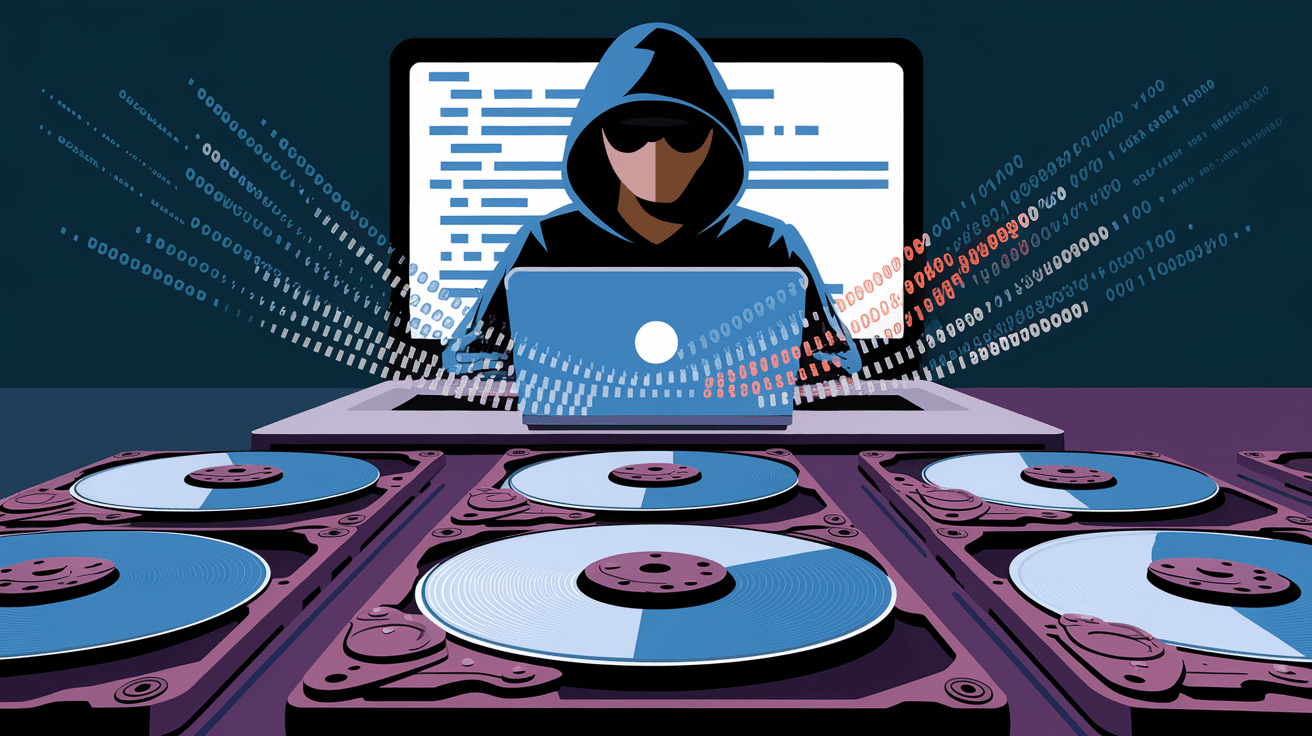
You might have heard about cyberattacks that steal data or lock it away, but have you ever wondered what happens when attackers aim to destroy your data completely? A data destruction attack is a serious threat that targets your information by deleting or corrupting it beyond recovery. Understanding this type of attack is crucial because it can cause permanent damage to individuals, businesses, and even governments.
In this article, I’ll explain what a data destruction attack is, how it works, and why it’s so dangerous. I’ll also share practical ways you can protect your data from these attacks. By the end, you’ll have a clear idea of how to keep your information safe in today’s digital world.
What is a Data Destruction Attack?
A data destruction attack is a type of cyberattack where the attacker’s goal is to erase, corrupt, or permanently damage data stored on computers, servers, or networks. Unlike ransomware, which locks data and demands payment, data destruction attacks aim to make data unrecoverable.
How It Works
- Attackers gain unauthorized access to a system.
- They use malware or hacking tools to delete files or overwrite data.
- Sometimes, they corrupt the system’s storage devices or databases.
- The attack can target backups, making recovery difficult or impossible.
This kind of attack is often used to cause chaos, disrupt operations, or cover up other malicious activities.
Common Types of Data Destruction Attacks
There are several ways attackers destroy data. Here are some common types:
- Malware-based destruction: Malware like wipers are designed to delete or overwrite data.
- Insider threats: Employees or contractors with access may intentionally delete or corrupt data.
- Physical destruction: Attackers may physically damage storage devices.
- Logic bombs: Malicious code that triggers data deletion at a specific time or event.
- Ransomware with destructive payloads: Some ransomware variants destroy data if demands aren’t met.
Each method has its own risks and consequences, but all lead to data loss.
Why Are Data Destruction Attacks Dangerous?
Data destruction attacks can be devastating for several reasons:
- Permanent data loss: Unlike theft, destroyed data is often impossible to recover.
- Business disruption: Companies may lose critical information needed to operate.
- Financial damage: Recovery costs, lost revenue, and legal penalties can be huge.
- Reputation damage: Customers and partners lose trust in organizations that suffer data loss.
- National security risks: Governments and critical infrastructure can be targeted, causing widespread harm.
For example, in recent years, some high-profile attacks wiped out entire databases of companies, forcing them to shut down temporarily or permanently.
How Do Attackers Gain Access?
Understanding how attackers get in helps you protect your data better. Common entry points include:
- Phishing emails: Trick users into clicking malicious links or attachments.
- Exploiting software vulnerabilities: Attackers use bugs in software to break in.
- Weak passwords: Easy-to-guess or reused passwords allow unauthorized access.
- Remote Desktop Protocol (RDP) attacks: Hackers exploit poorly secured remote access.
- Insider access: Employees with malicious intent or careless behavior.
Once inside, attackers move quickly to destroy data before detection.
Signs Your System May Be Under a Data Destruction Attack
Detecting a data destruction attack early can save you from severe damage. Watch for these warning signs:
- Sudden loss of access to files or folders.
- Unusual system slowdowns or crashes.
- Alerts from antivirus or security software.
- Unexpected changes in file sizes or types.
- Missing backups or corrupted backup files.
- Strange network activity or unauthorized logins.
If you notice any of these, act immediately to investigate and contain the threat.
How to Protect Yourself from Data Destruction Attacks
Protecting your data requires a mix of technology, policies, and awareness. Here are practical steps you can take:
1. Regular Backups
- Keep multiple backups in different locations.
- Use offline or air-gapped backups to prevent malware access.
- Test backups regularly to ensure data can be restored.
2. Strong Access Controls
- Use multi-factor authentication (MFA).
- Limit user permissions to only what’s necessary.
- Monitor and log access to sensitive data.
3. Update and Patch Systems
- Keep software and operating systems up to date.
- Apply security patches promptly to fix vulnerabilities.
4. Employee Training
- Teach staff to recognize phishing and social engineering.
- Promote safe password practices.
- Encourage reporting of suspicious activity.
5. Use Security Tools
- Deploy antivirus and anti-malware software.
- Use firewalls and intrusion detection systems.
- Implement endpoint detection and response (EDR) solutions.
6. Incident Response Plan
- Have a clear plan for responding to data destruction attacks.
- Include steps for containment, investigation, and recovery.
- Regularly review and update the plan.
Real-World Examples of Data Destruction Attacks
Several notable attacks highlight the dangers of data destruction:
- NotPetya (2017): A malware attack that wiped data from thousands of computers worldwide, causing billions in damages.
- Sony Pictures Hack (2014): Attackers destroyed data and leaked sensitive information, disrupting operations.
- Ukraine Power Grid Attack (2015): Hackers destroyed data and disrupted power supply, showing risks to critical infrastructure.
These examples show how data destruction attacks can affect anyone, from businesses to governments.
What to Do If You Are a Victim
If you suspect a data destruction attack, act quickly:
- Disconnect affected systems from the network to stop spread.
- Notify your IT and security teams immediately.
- Preserve logs and evidence for investigation.
- Contact cybersecurity experts or law enforcement.
- Use backups to restore lost data if possible.
- Review and strengthen your security to prevent future attacks.
Speed and preparedness can reduce the damage significantly.
The Future of Data Destruction Attacks
As technology evolves, so do cyber threats. Experts predict:
- More sophisticated malware that can evade detection.
- Increased targeting of cloud storage and backups.
- Greater use of AI to automate attacks.
- More attacks on critical infrastructure and IoT devices.
Staying informed and proactive is essential to defend against these emerging threats.
Conclusion
Data destruction attacks are a serious and growing threat in today’s digital world. They aim to erase or corrupt your data, causing permanent loss and major disruptions. Understanding how these attacks work and recognizing the warning signs can help you protect yourself and your organization.
By following best practices like regular backups, strong access controls, and employee training, you can reduce your risk. Remember, preparation and quick response are your best defenses against data destruction attacks. Stay vigilant and keep your data safe.
FAQs
What is the main goal of a data destruction attack?
The main goal is to permanently delete or corrupt data, making it unrecoverable and causing disruption or damage to the victim.
How is a data destruction attack different from ransomware?
Ransomware locks data and demands payment, while data destruction attacks erase or corrupt data without any ransom demand.
Can data be recovered after a destruction attack?
Recovery depends on the attack’s severity and backup availability. Often, destroyed data is lost permanently if backups are missing or corrupted.
Who are the typical targets of data destruction attacks?
Targets include businesses, governments, critical infrastructure, and sometimes individuals with valuable or sensitive data.
How can I detect a data destruction attack early?
Look for signs like sudden file loss, system crashes, unusual network activity, and alerts from security software to detect attacks early.




